
Quality Home Services
The Why Behind Quality Home Services
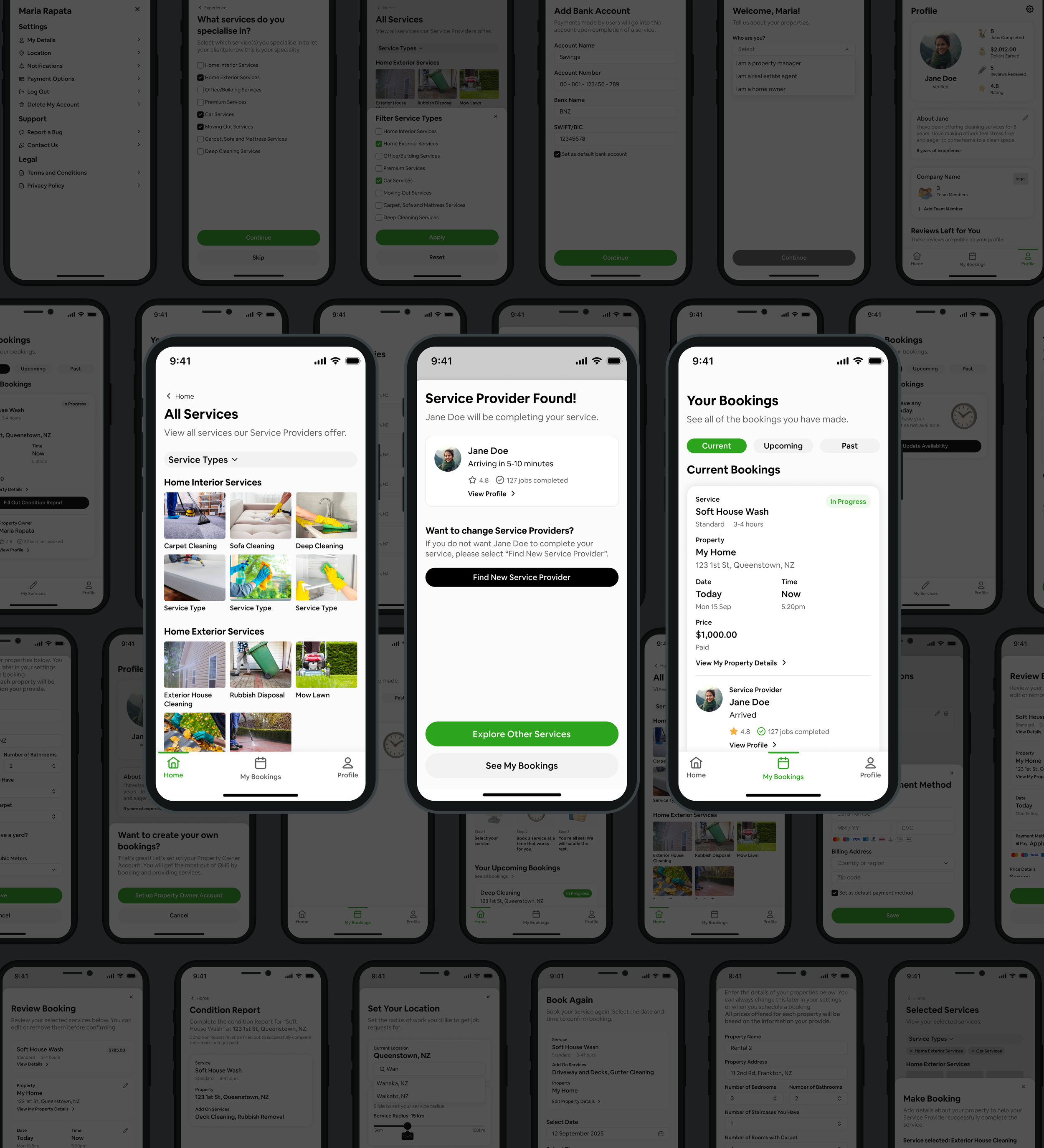
Quality Home Services (QHS) connects property owners in Queenstown, NZ with trusted local service providers for cleaning, housekeeping and home care. Every booking was handled by hand, so QHS asked me to design a digital platform that takes the stress out of booking care for your property and lays the groundwork for a national network of local providers.
QHS’s vision is to raise the standard of home services in Aotearoa through a national network that cares for people, the planet, and the homes we live in.
I led the design from the first meeting through to developer handoff. The app wasn’t built and launched after handoff, so this case study focuses on the design process and the decisions behind it.
Problem
Property owners can't book what they need, when they need it, without calls and back and forth, and service providers have no easy way to choose work that fits their lives. Underneath both is trust: property owners are letting strangers into their homes, and service providers are entering properties they don't know, with no shared way to hold each other accountable.

Solution
An app where service providers choose what they offer and property owners book the type of service they need. The two are matched, and owners can book ASAP or schedule in advance, like Uber and Uber Eats.
-
Goal 1
Instantly connect a property owner with a trusted service provider.
-
Goal 2
Clearly state what will be completed in every booking.
-
Goal 3
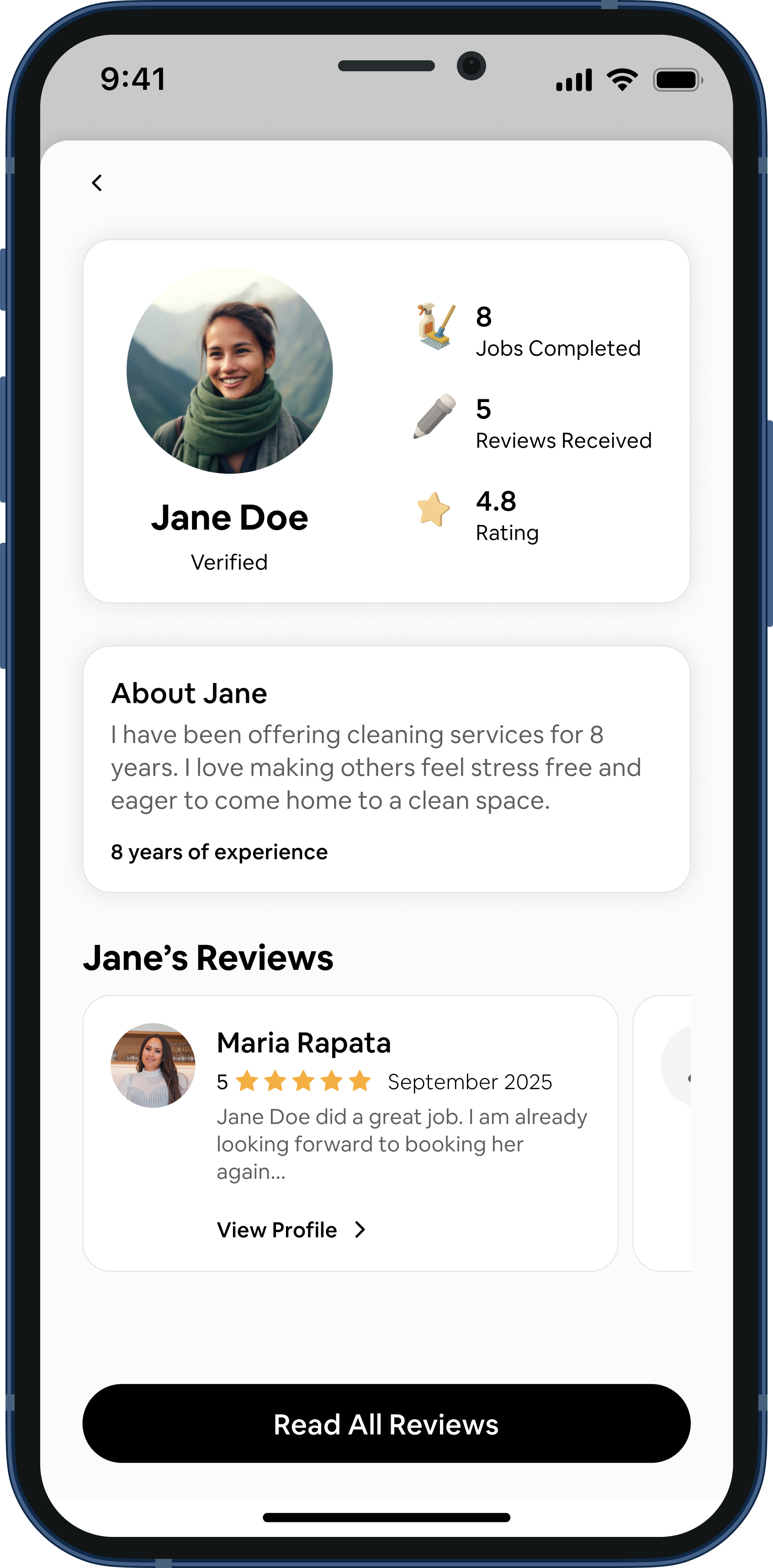
Rate each other to build trust and accountability on both sides.
Constraints
-
Budget
The founder was funding the first phase herself, so the scope had to fit her original budget. My design time was tracked hourly to keep costs predictable.
-
Two user types
The app will have two user types with different needs, designed as one connected experience.
Competitive Analysis: NexDo
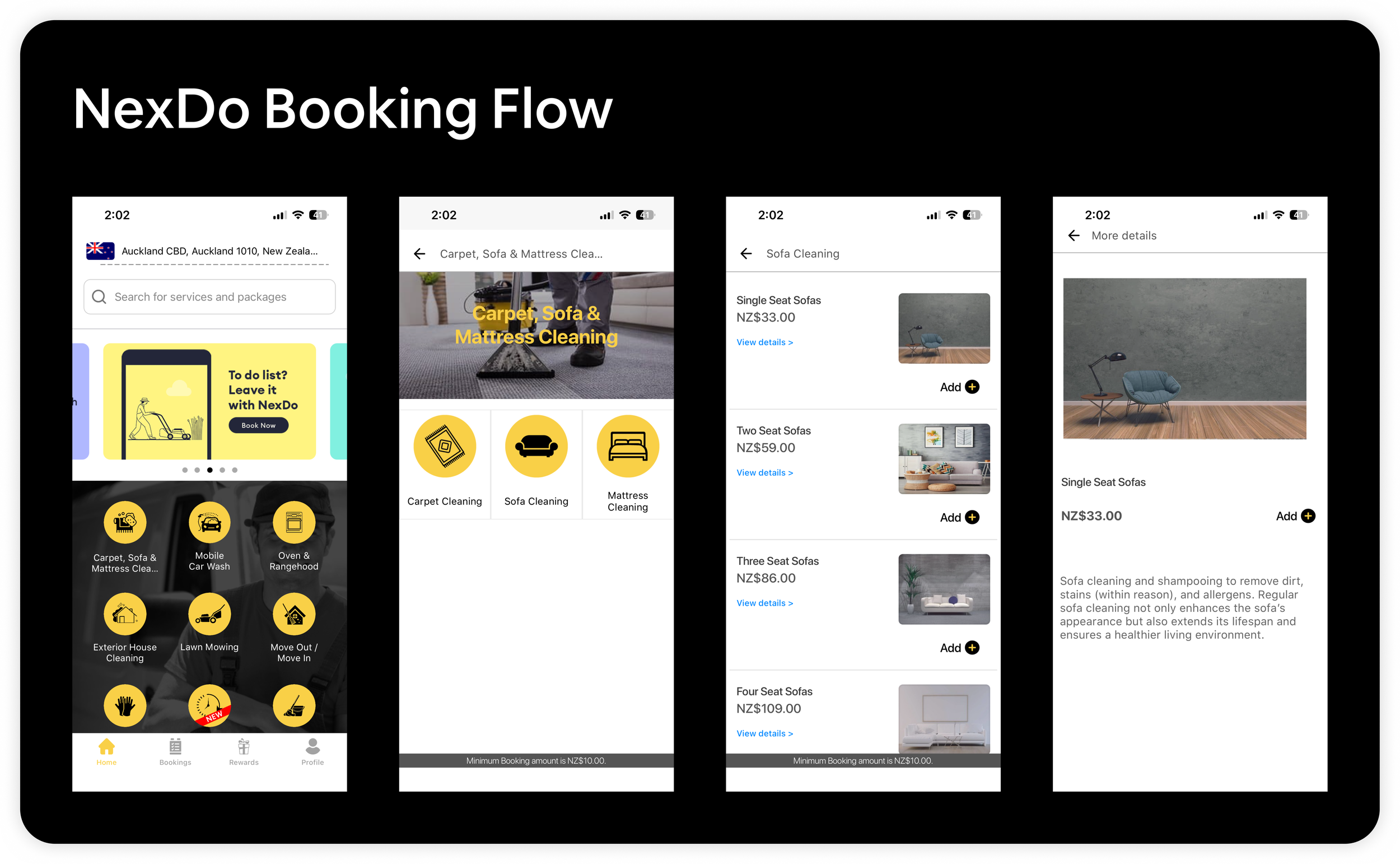
QHS pointed me to Nexdo as the experience they wanted to match. Nexdo does a great job of presenting service options as soon as you open the app. But once you select a service, the booking flow gets confusing and isn't fully transparent about what you get.
What I Found in NexDo:
Service options are clear and easy to browse on the first screen
After selecting a service, it isn't clear what's included in the booking
It isn't clear which property you're booking for or when the booking can take place
No way to set a recurring booking
No way to leave a review
You can't see who the service provider is
How I Designed QHS:
The home screen leads with Book Service and popular services
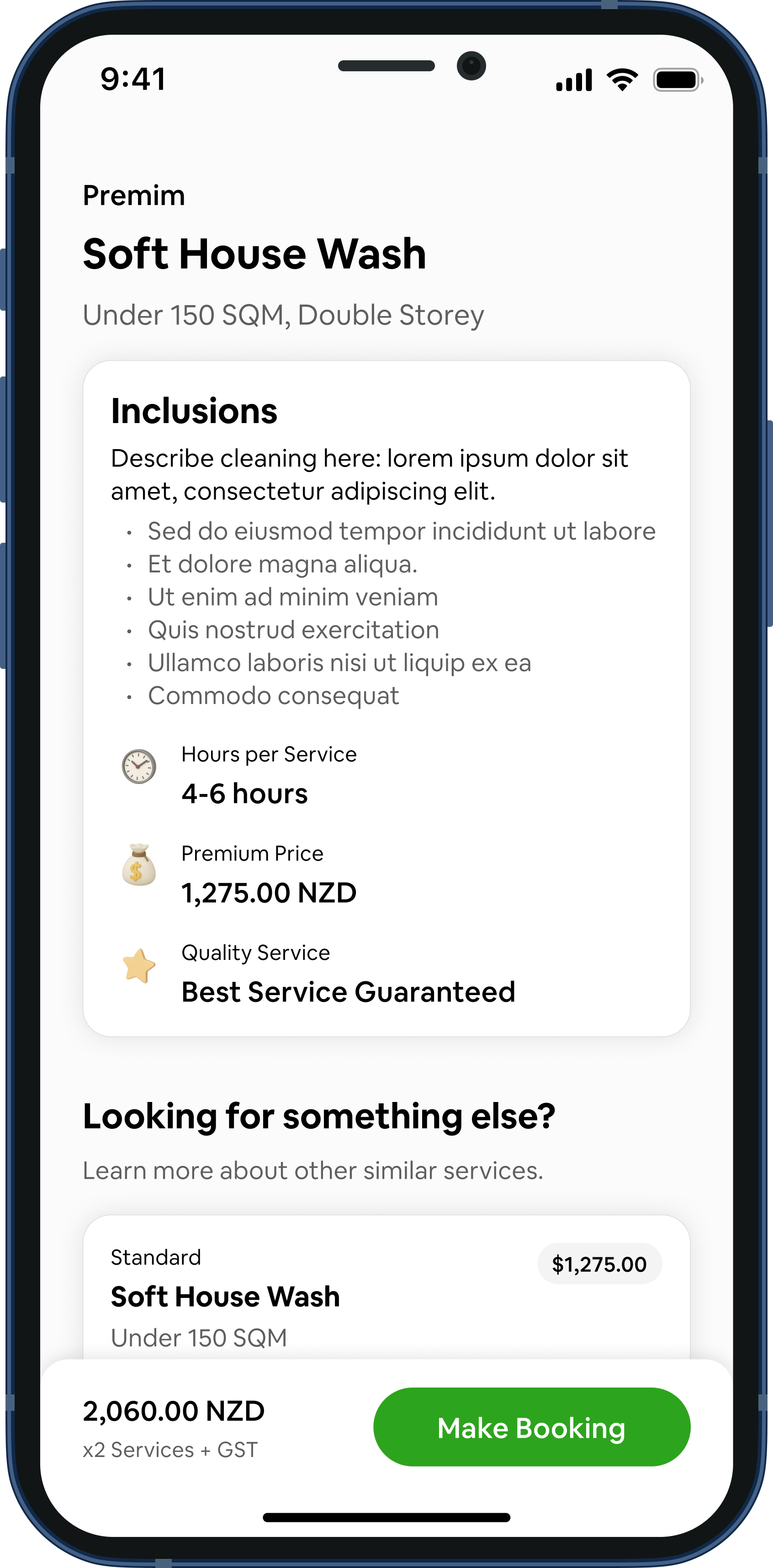
Each service shows its inclusions, hours and price, with a review screen before confirming
Owners choose their property, then book now or pick a date and time
Any booking can be made recurring
Two-way reviews after every job
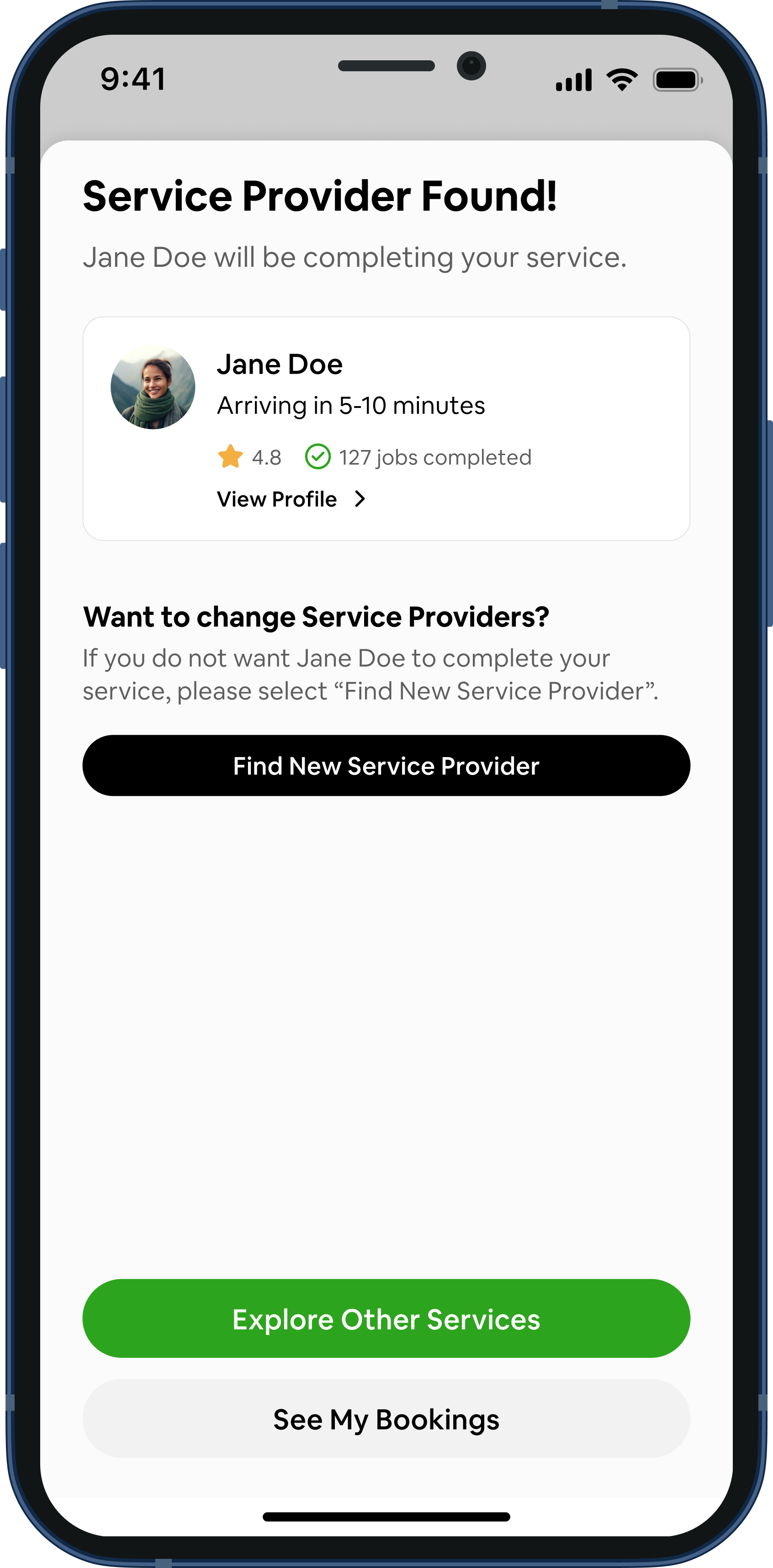
Owners see their service provider's name, rating, jobs completed and arrival time as soon as they're matched
How might we connect property owners with trusted local service providers in just a few taps, whether they need help today or next month?
How might we give service providers the freedom to choose work that fits their lives, while building trust and accountability on both sides?
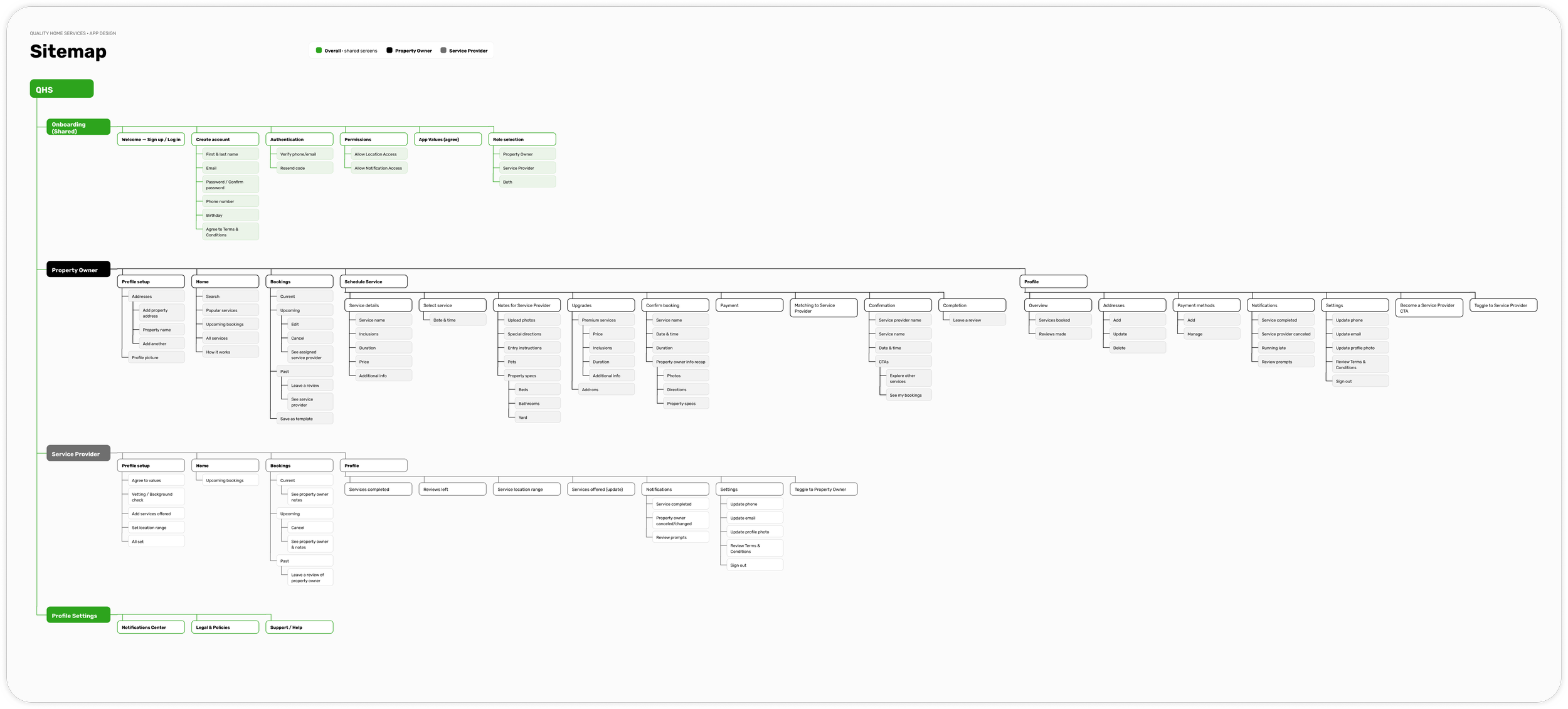
Quality Home Service’s Sitemap
The sitemap mapped the Property Owner side of the app to the Service Provider side. Creating it helped our team cut anything unnecessary from the MVP and made sure every feature on one side had a matching action on the other. For example, a Property Owner’s booking becomes a confirmed job in the Service Provider’s schedule.
Turning the Sitemap into Wireframes
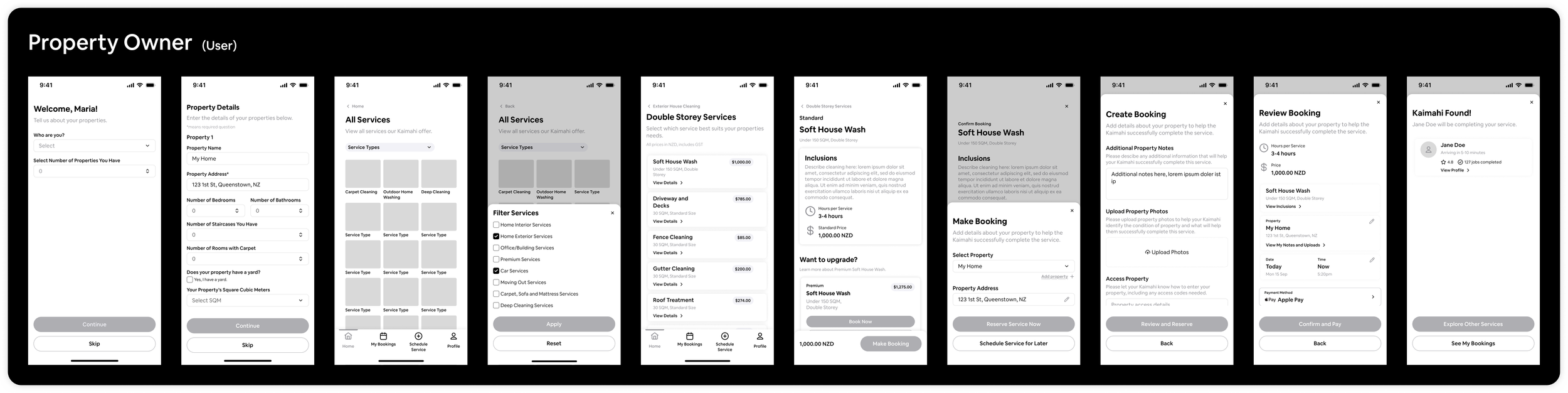
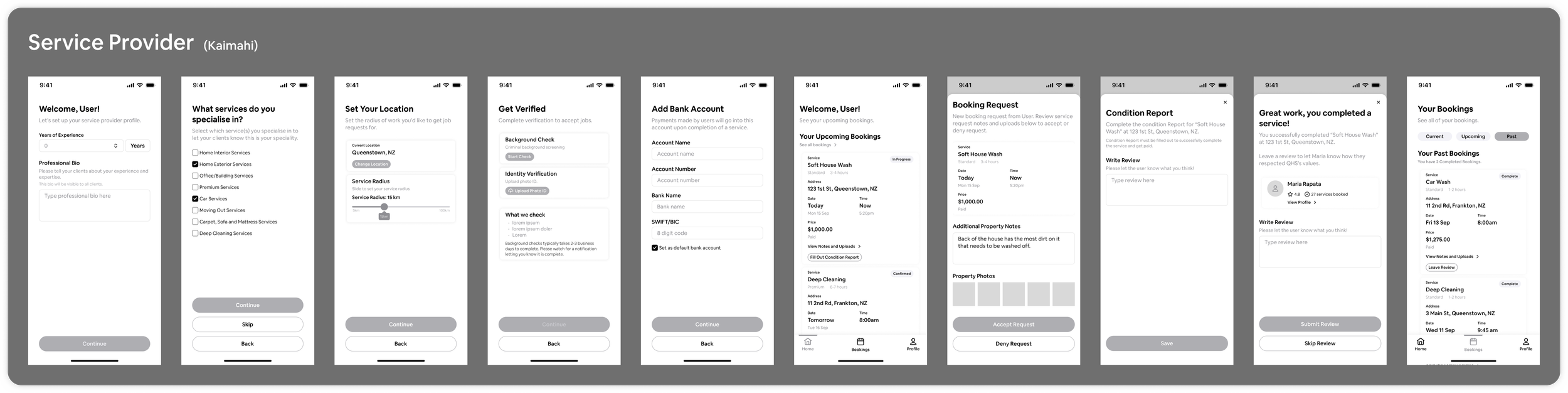
The wireframes let us see the full user journey for the first time and spot gaps the sitemap had missed. My focus was keeping the journey from onboarding to booking simple, so fewer users would drop off. Property owners needed to add their property details quickly, and service providers needed to set their availability, services and the areas they work in.
At our second team meeting, we cut the scope back to fit the budget:
In the MVP: accounts for both sides, service provider availability, booking for now or later, automatic assignment with a notification, and a clear booking summary.
Cut for later: AI matching, and AI that assesses a room to price a booking automatically.
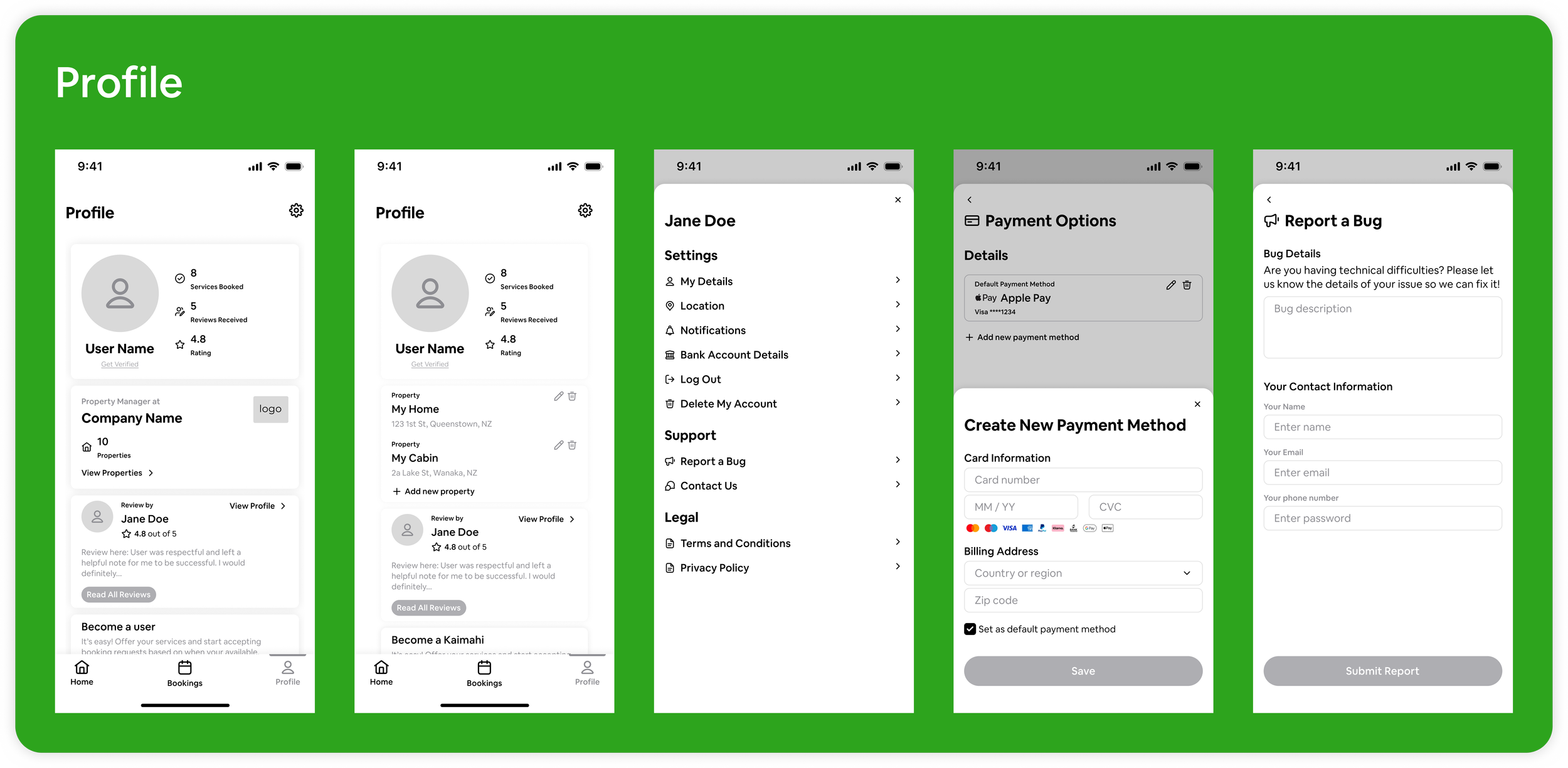
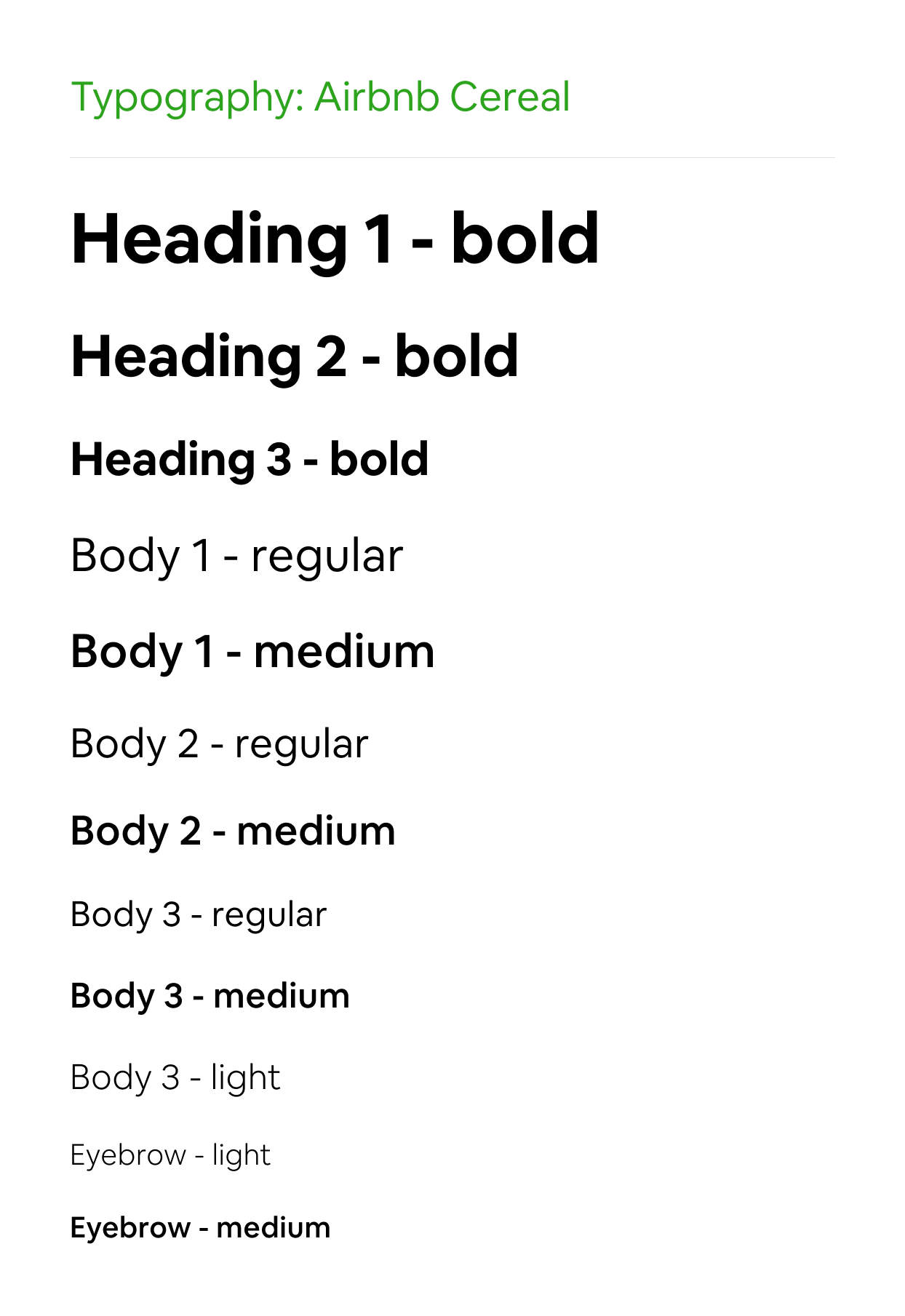
Quality Home Service’s Style Guide
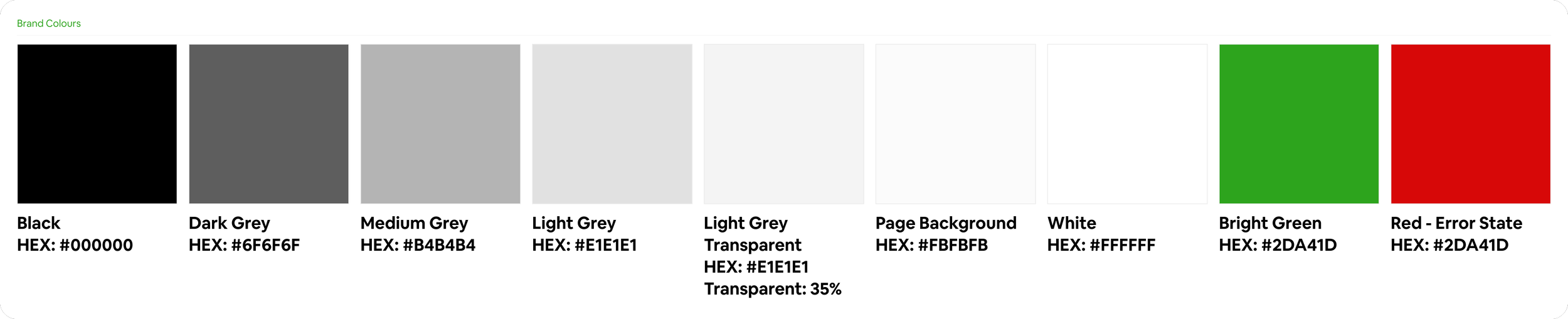
QHS wanted an app that felt simple, clean and bright. The app needed to suit both standard and premium customers, and what QHS loved most was the simplicity of Airbnb's branding.
So we followed the same approach as Airbnb:
One bright colour for key actions. The bright green was chosen to make the app feel fresh and approachable.
Neutrals for everything else to to keep the interface calm and clean.
One sans-serif typeface keeps the minimal and clean style consistent.
Photos do the heavy lifting. Images of each service bring the colour and personality.
I applied the style guide across the app and built a clickable prototype, which QHS could show investors as a working demo while development continued.
Meet Quality Home Services
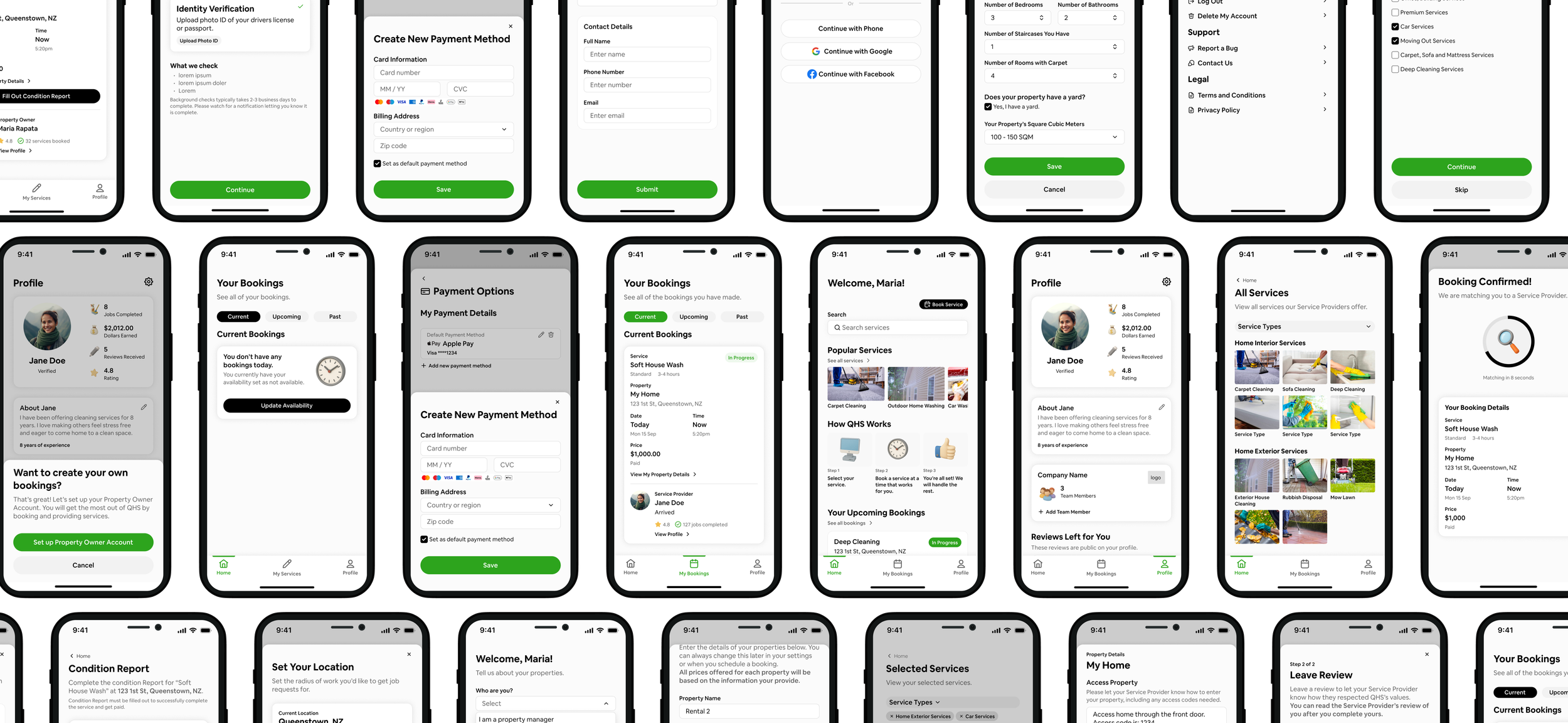
Learn the Why Behind My Design
Getting Set Up
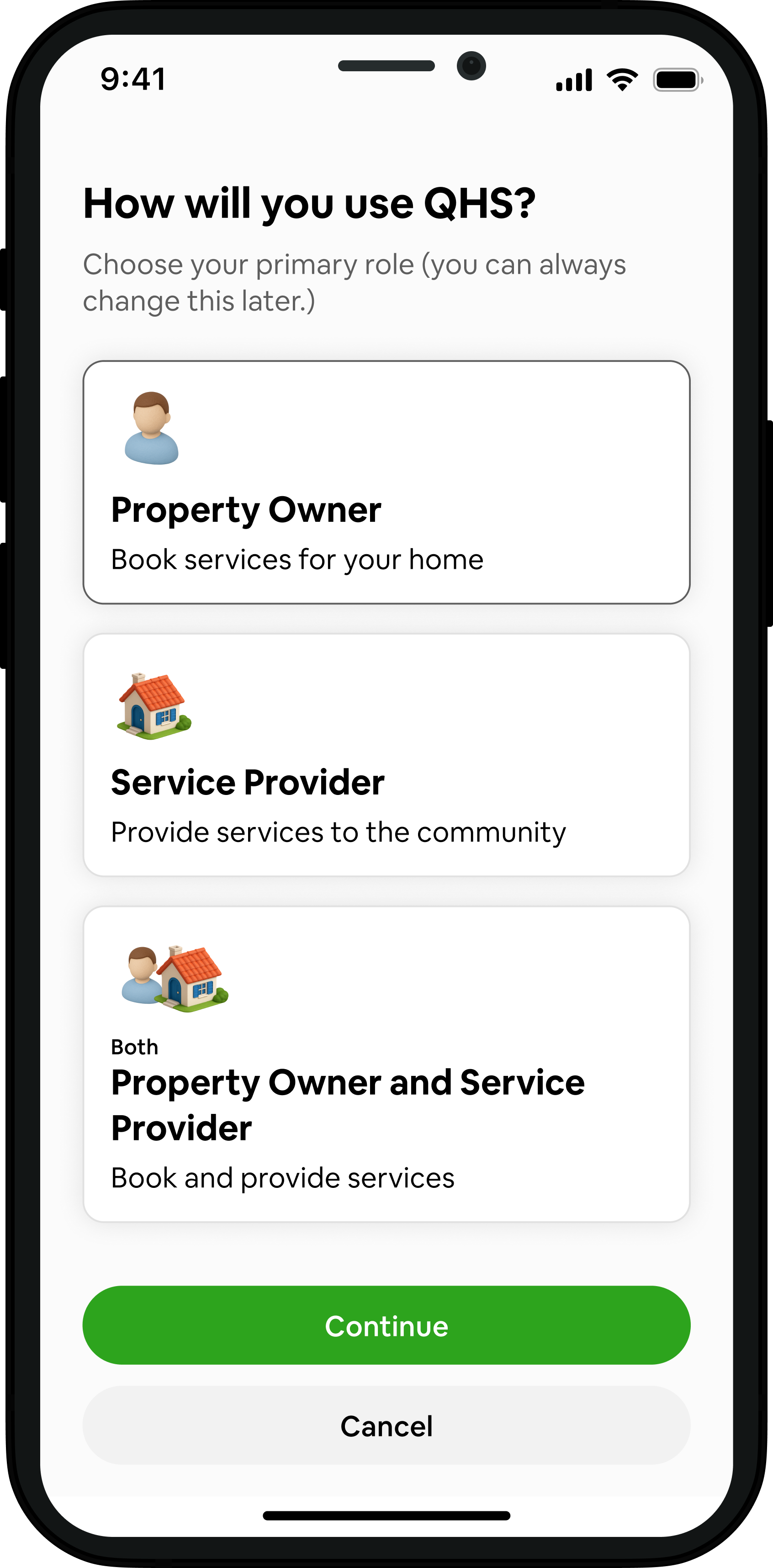
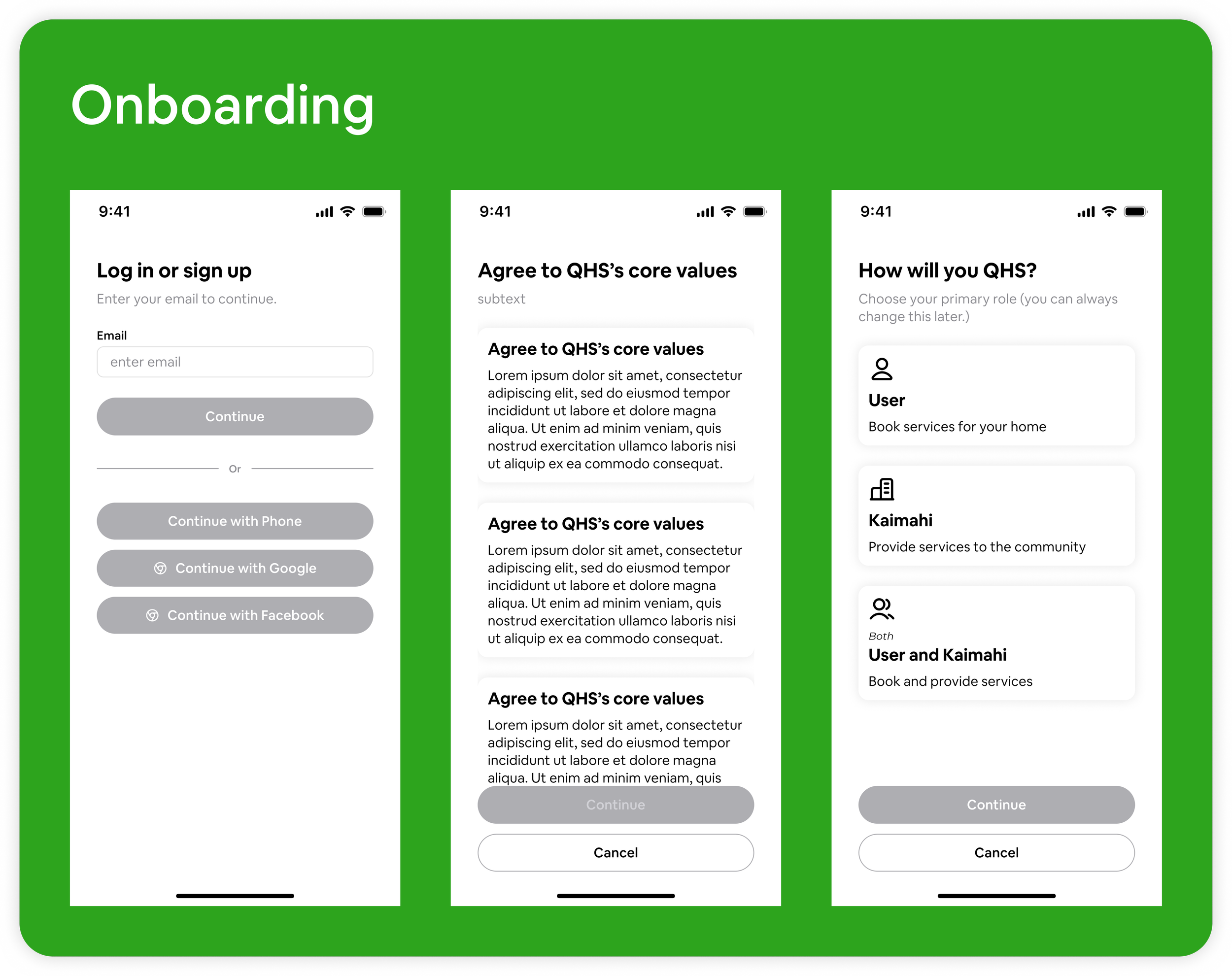
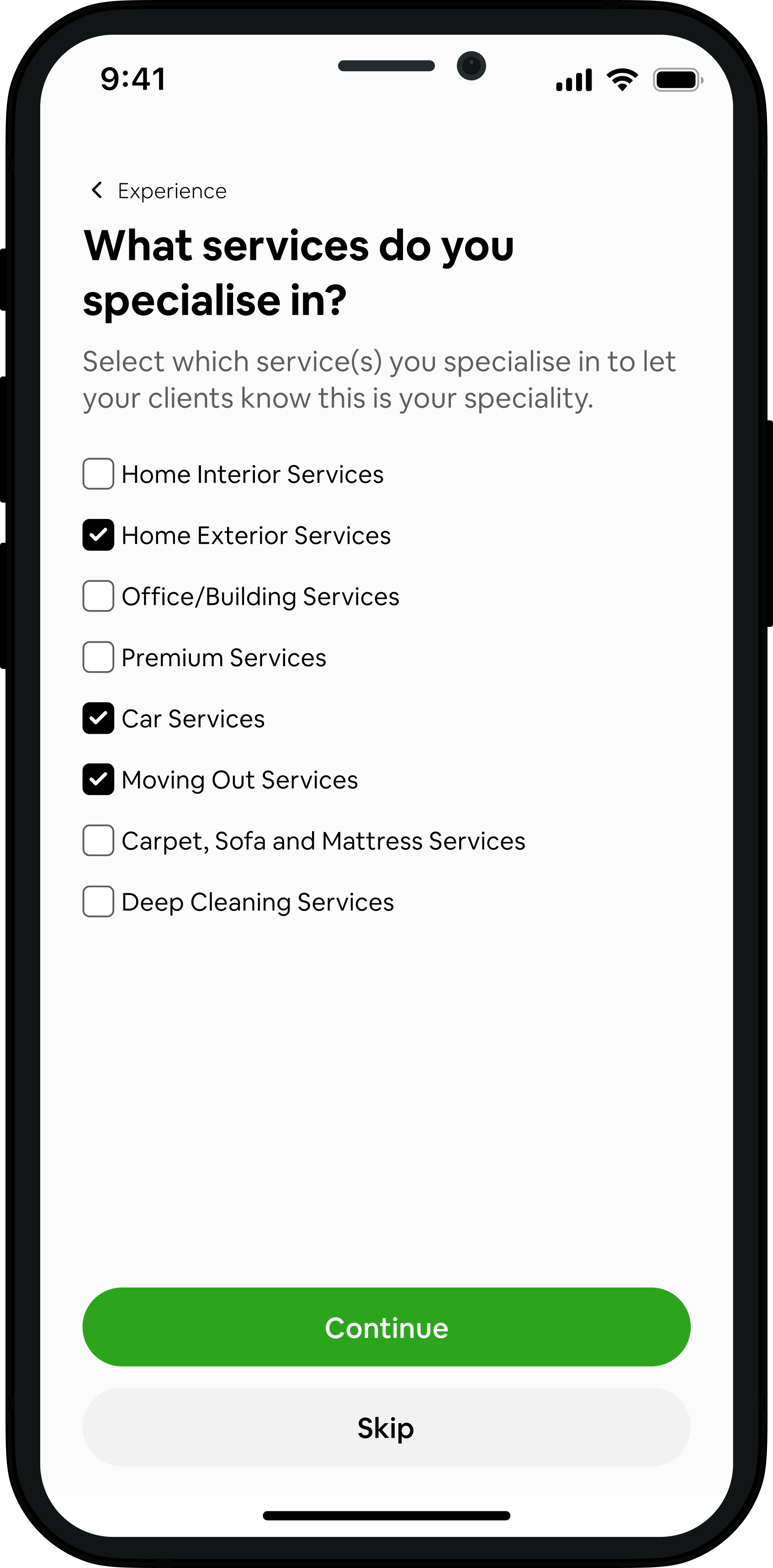
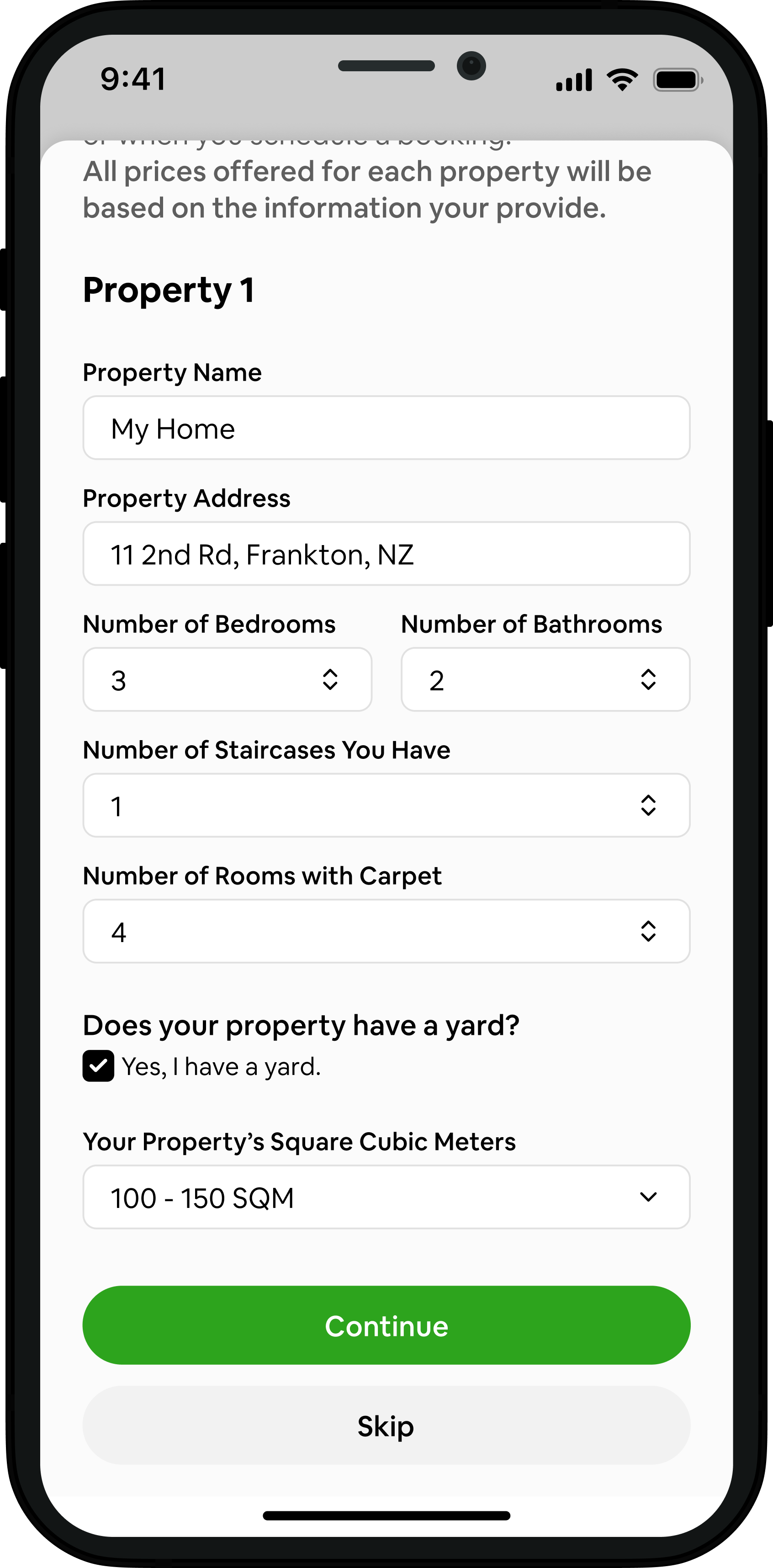
Design: After choosing their account type (property owner, service provider or both), each user is guided through short, focused steps.
Property owners add property details
Service providers set their available hours, the services they specialise in, and a service radius on a slider, from 5 to 100 km.
Everyone agrees to QHS's core values before they start.
Why: Every booking is priced from the property details, so owners see an accurate price without waiting for a quote. This is how we replaced the AI room assessment cut from the MVP. Splitting setup into steps, with the option to skip, keeps the first experience quick.
Service Provider Service Selection
Property Owner Property Details
Property Owner Books a Service
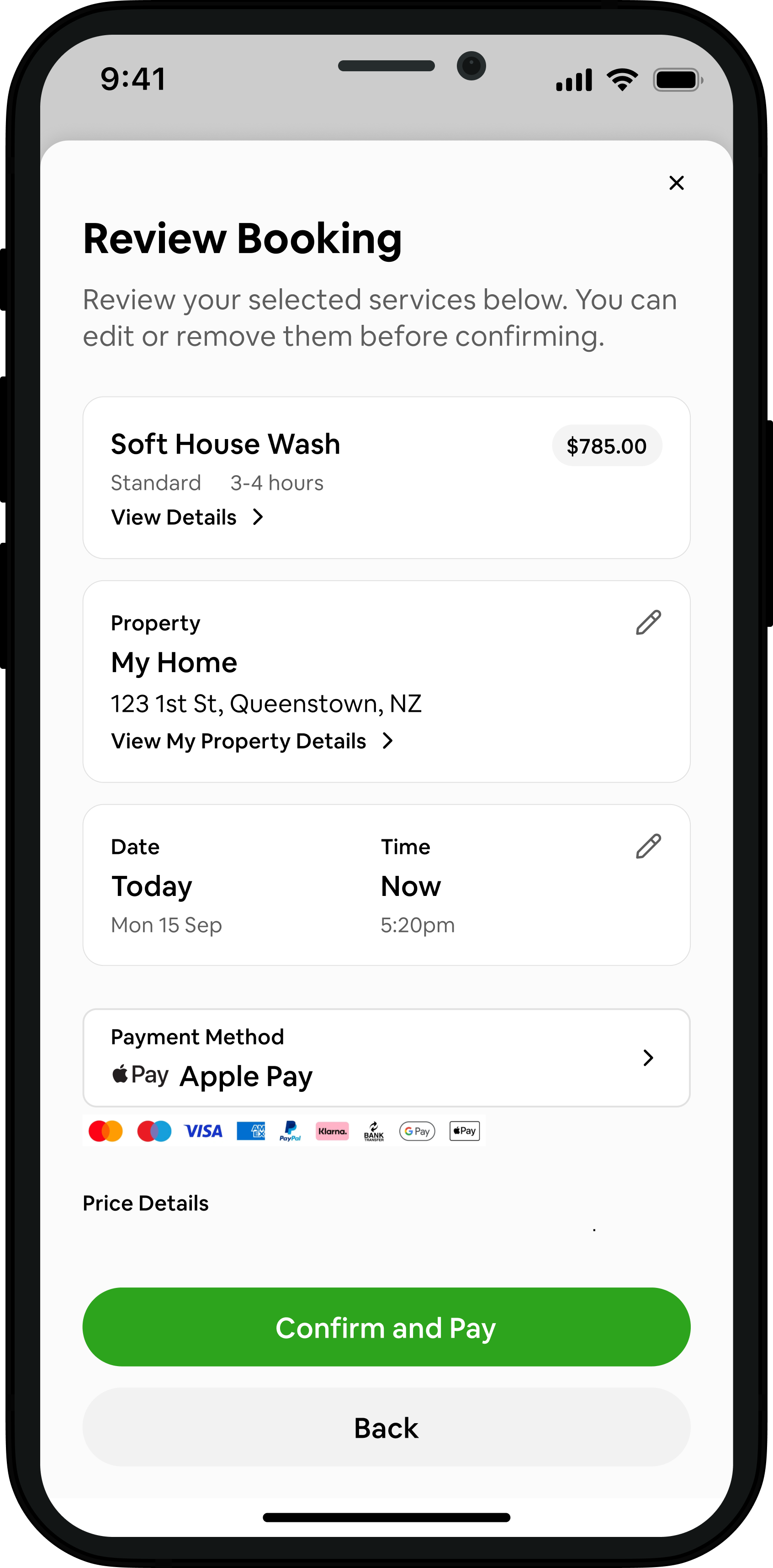
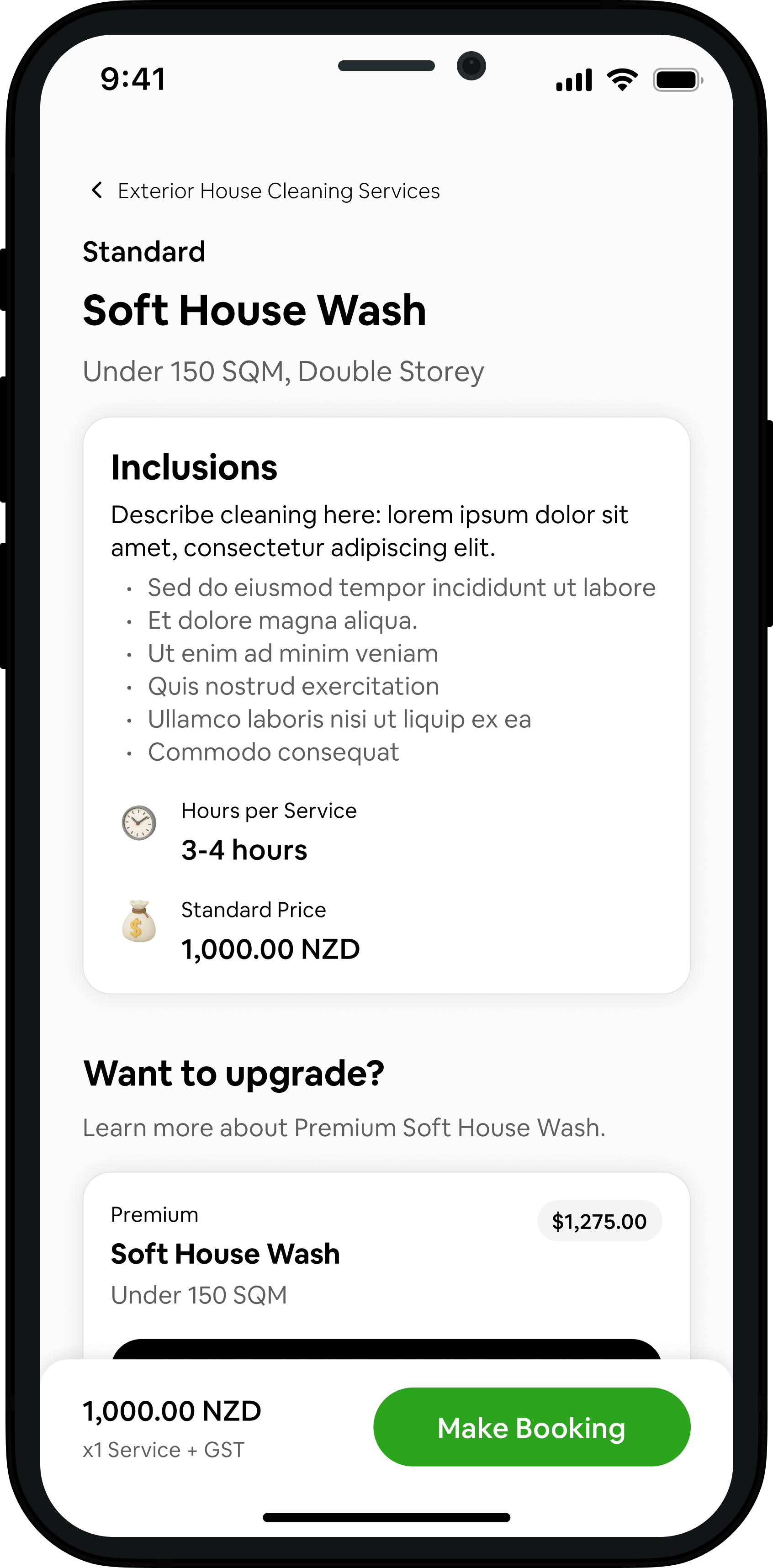
Design: Each service shows its inclusions, the hours it takes and the price for that property. Owners can upgrade from standard to premium, add extras like gutter cleaning, then book now or schedule for later, with the option to make it recurring. A review screen shows everything before they confirm.
Why: Both sides agree on exactly what will be done before the job starts. Recurring bookings suit regular jobs like Airbnb turnovers and lawn mowing.
Matched Almost Instantly
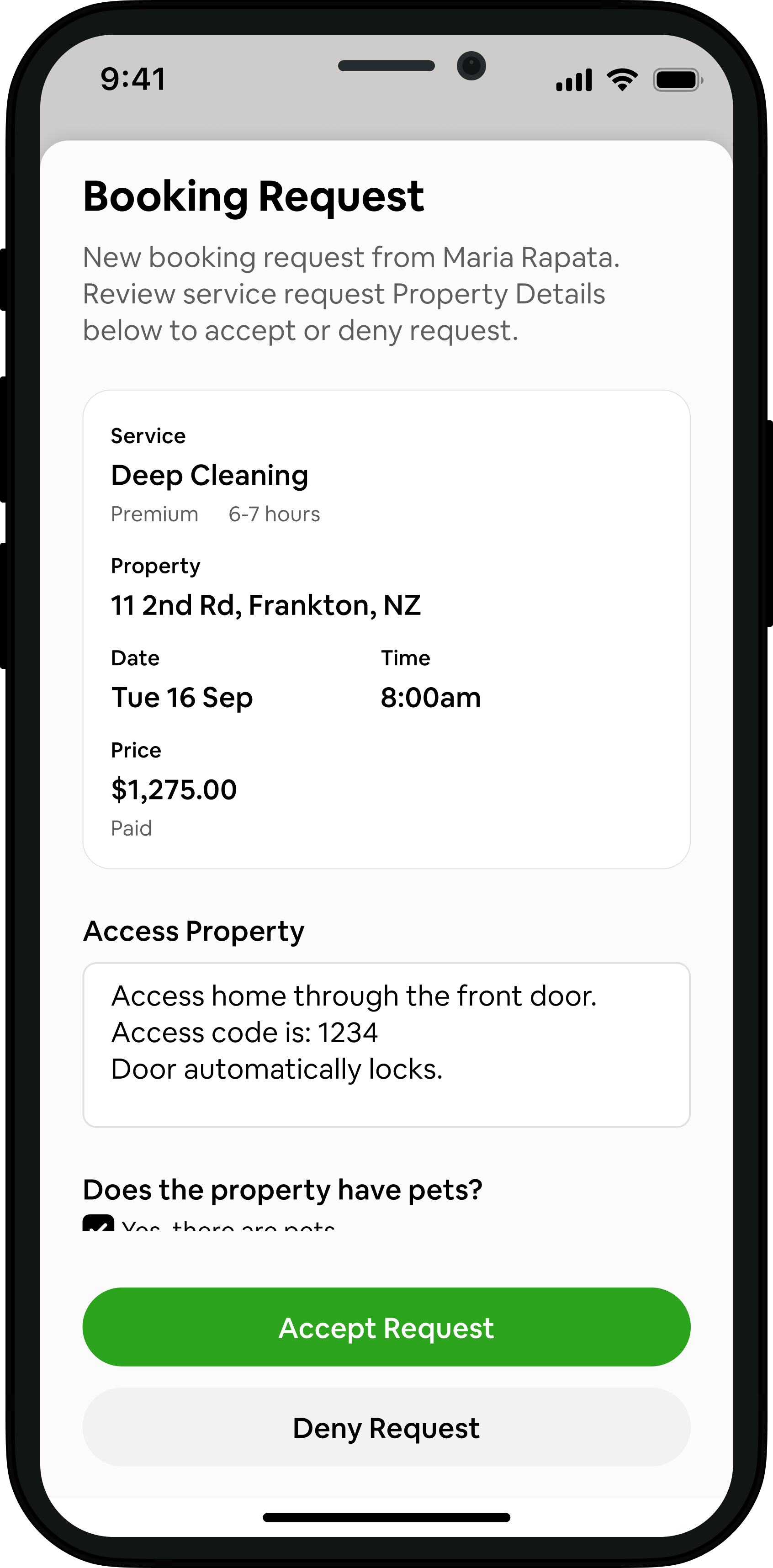
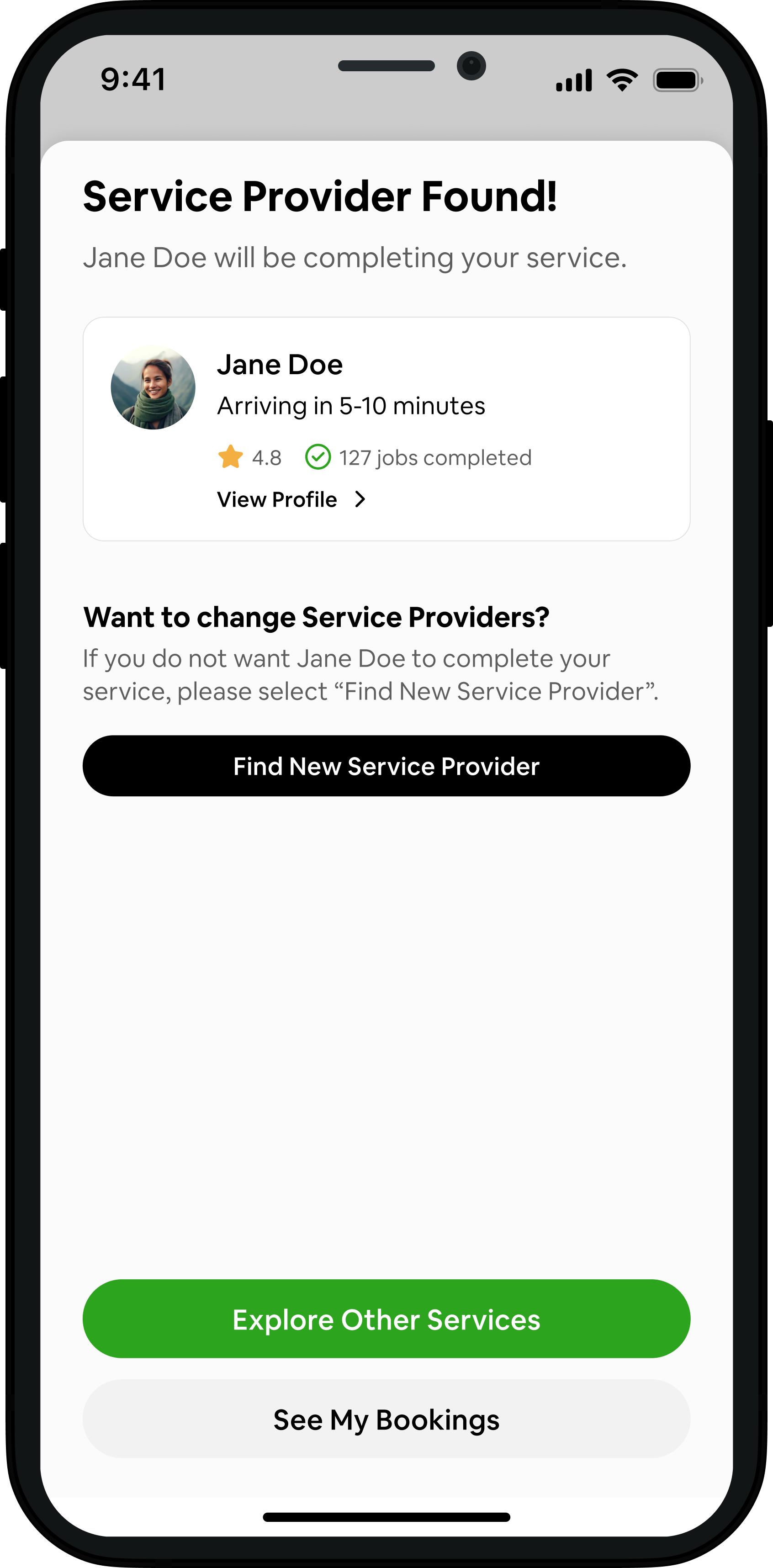
Design: Once a Property Owner books, they're paired with an available service provider and see who's coming, their rating, jobs completed and arrival time. The service provider gets a booking request with everything they need: the service, property access, pets, health and safety concerns, photos and notes.
Why: Owners know straight away who's coming, and providers arrive prepared. Showing ratings on both sides builds trust before anyone steps through the door.
Service Provider Accepts
Property Owner’s Confirmation
Condition Report
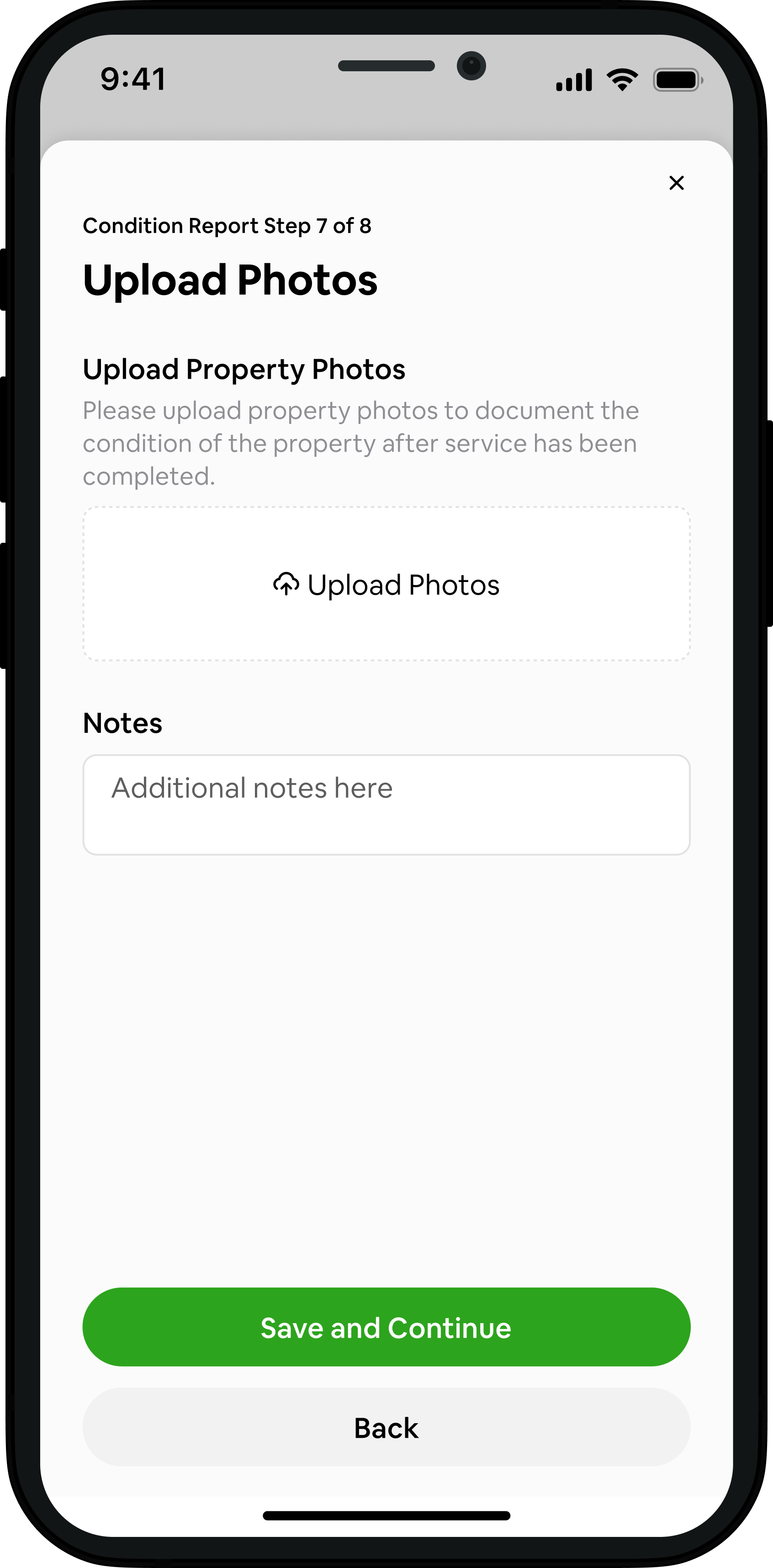
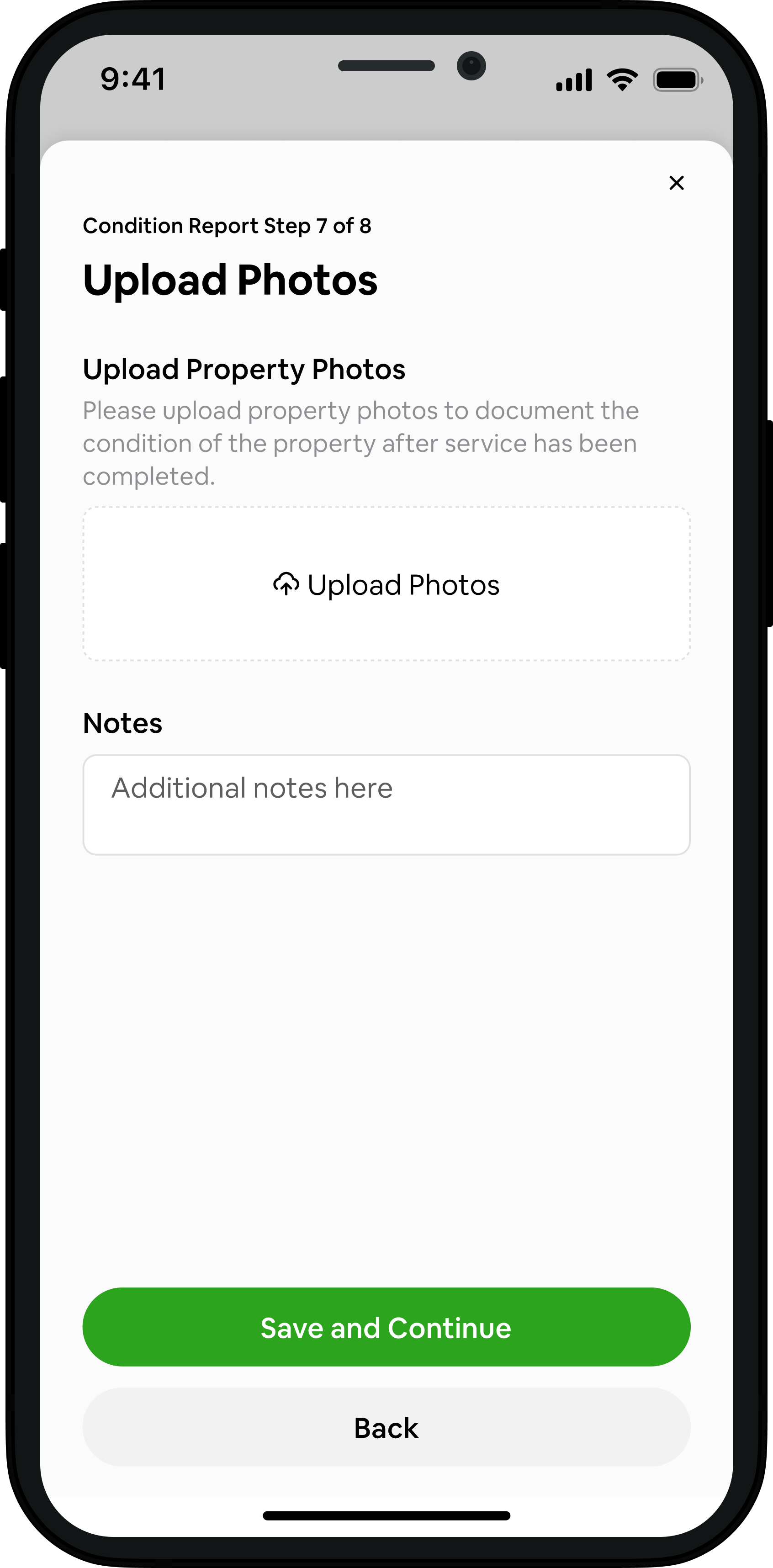
Design: Service providers complete a step-by-step condition report covering health and safety checks, each service's requirements, notes and photos. The report must be finished to complete the job and get paid. Owners can view the notes and photos from their past bookings.
Why: The report holds service providers to the standard of the booking and gives owners peace of mind. It's a feature most booking apps don't have, and it supports QHS's vision of raising the standard of home services.
Two-Way Reviews Based on QHS's Values
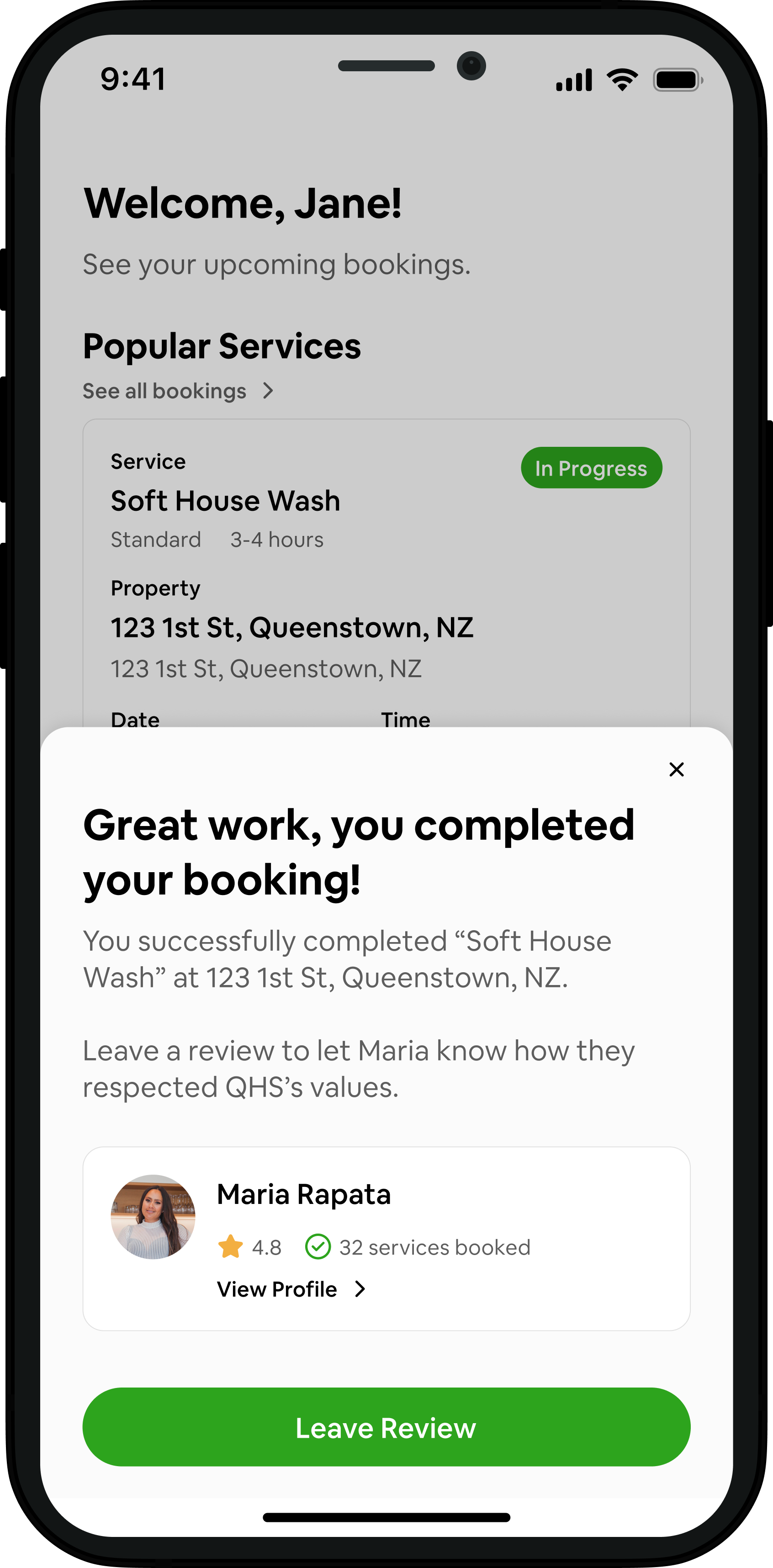
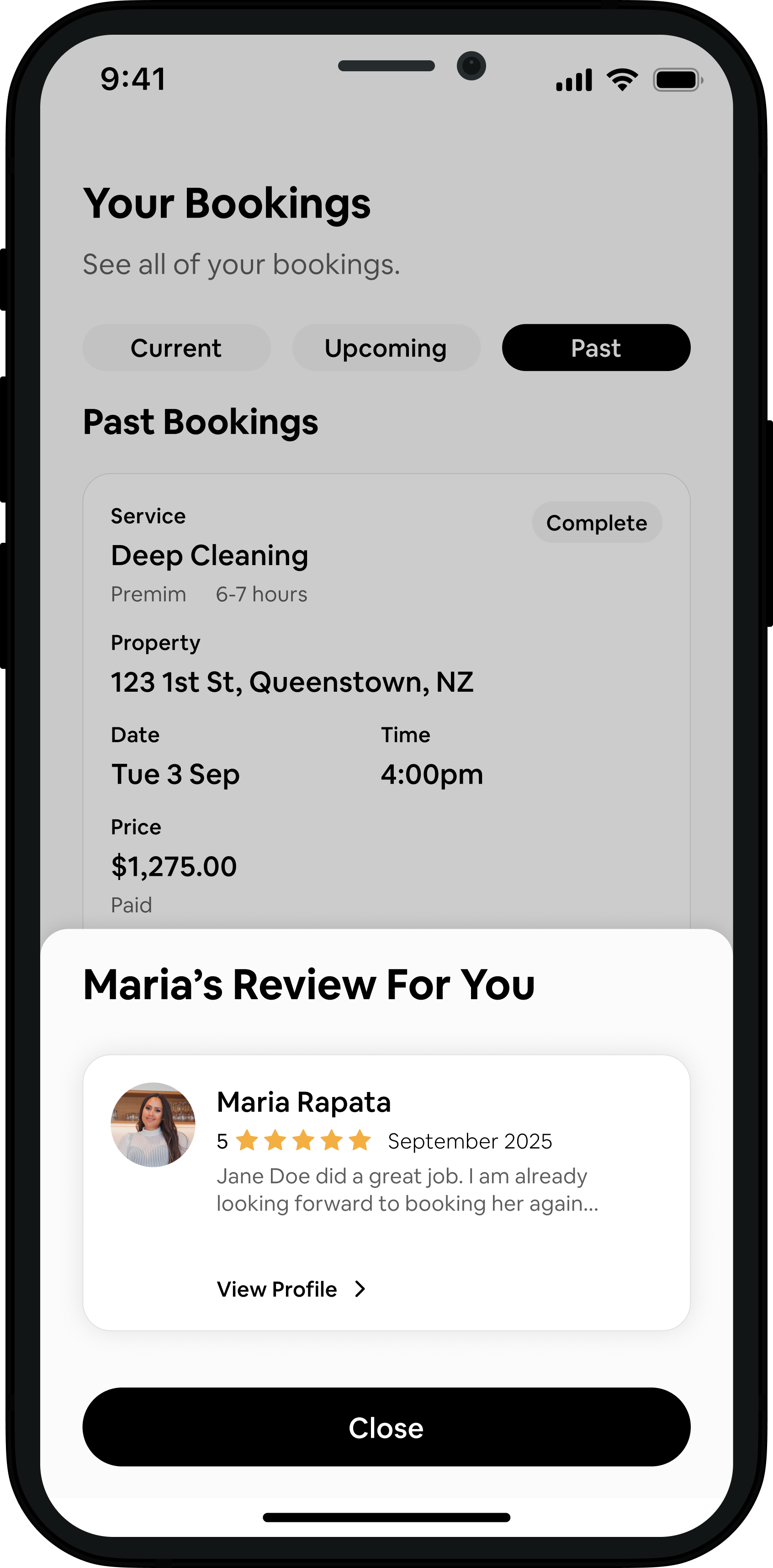
Design: After each job, property owners and service providers rate each other on how well they upheld QHS's values. Each review has a public part for their profile and private feedback just for the other person. Users can only read the other person's review once they've left their own.
Why: Rating against shared values, not just stars, ties every job back to what QHS stands for. Hiding reviews until both are done keeps them honest.
Reflection
Although the app was never fully built, QHS was a really rewarding project for me to work on. I worked closely with the QHS team from the very first brainstorm through to the sitemap, wireframes and a high-fidelity prototype. Hearing their needs, collaborating on their design wishes and seeing their excitement as their vision came to life on screen made the whole process meaningful.
My biggest lesson was about timing. QHS was undecided on its brand for much of the project, so after most of the app was finalised, I had to go back several times to apply the brand colours and update components. That rework cost QHS time and money. Next time, I'd meet earlier to agree on brand guidelines, and set a clear deadline for brand decisions before moving into high fidelity.