Hello Cashflow
My Budget Editor
The Why Behind Hello Cashflow’s Budget Editor
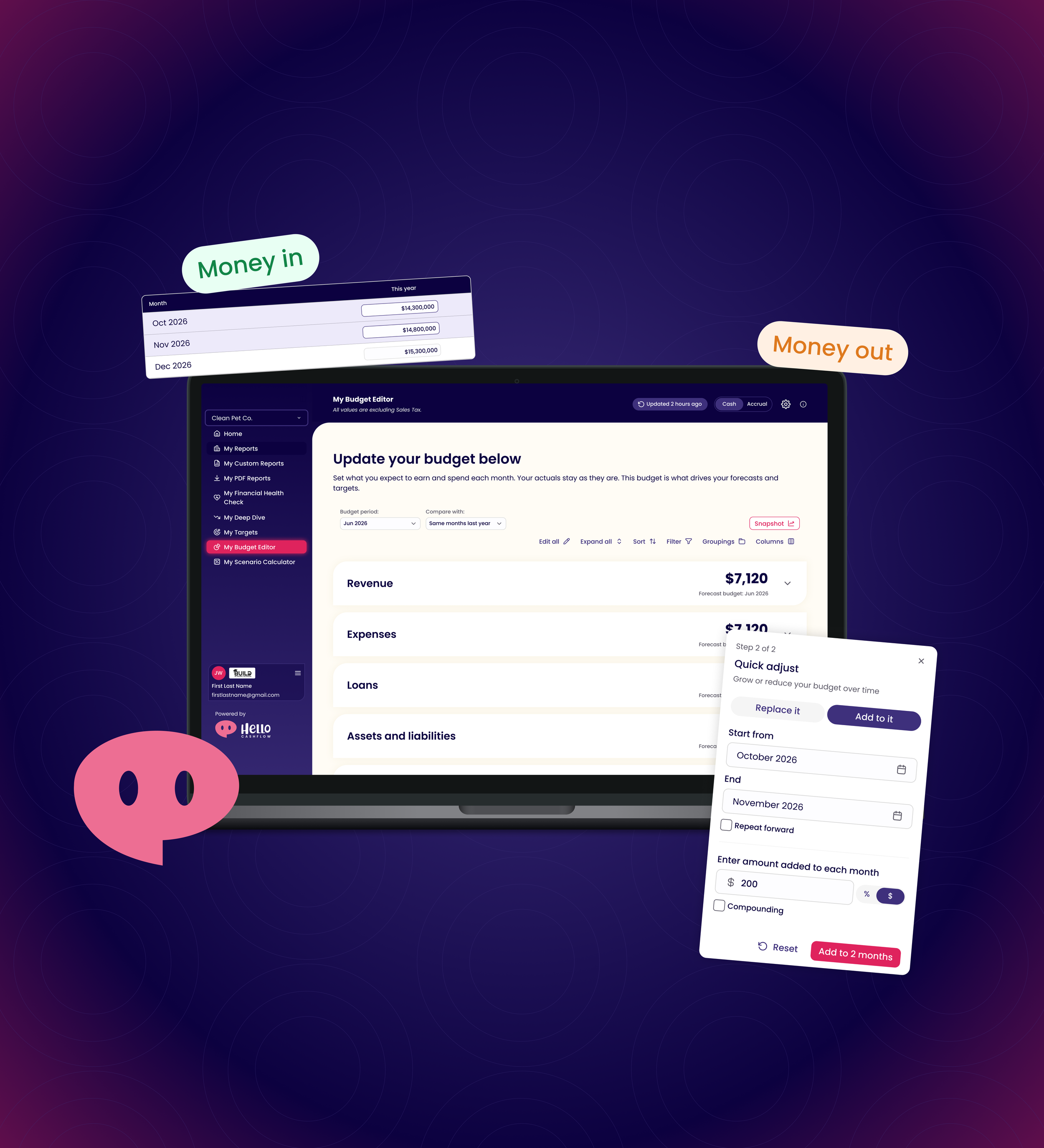
Hello Cashflow is a New Zealand based startup that helps small business owners spot cashflow problems before they happen. The budget editor is the most valuable feature that powers every forecast, target, report and scenario in the app. If the Budget Editor isn’t intuitive for our users, then the rest of the app loses all its value.
The driving factor of this redesign is to make budgeting become part of a small business owners’ daily habits so they never have to stress about financial problems again. This is achieved by making it clearer, faster and easier for users to make adjustments and see where their budget currently stands.
All figures in these designs are placeholder data. They aren’t real business data and won’t add up the way a real budget would.
The Problem
Tabs
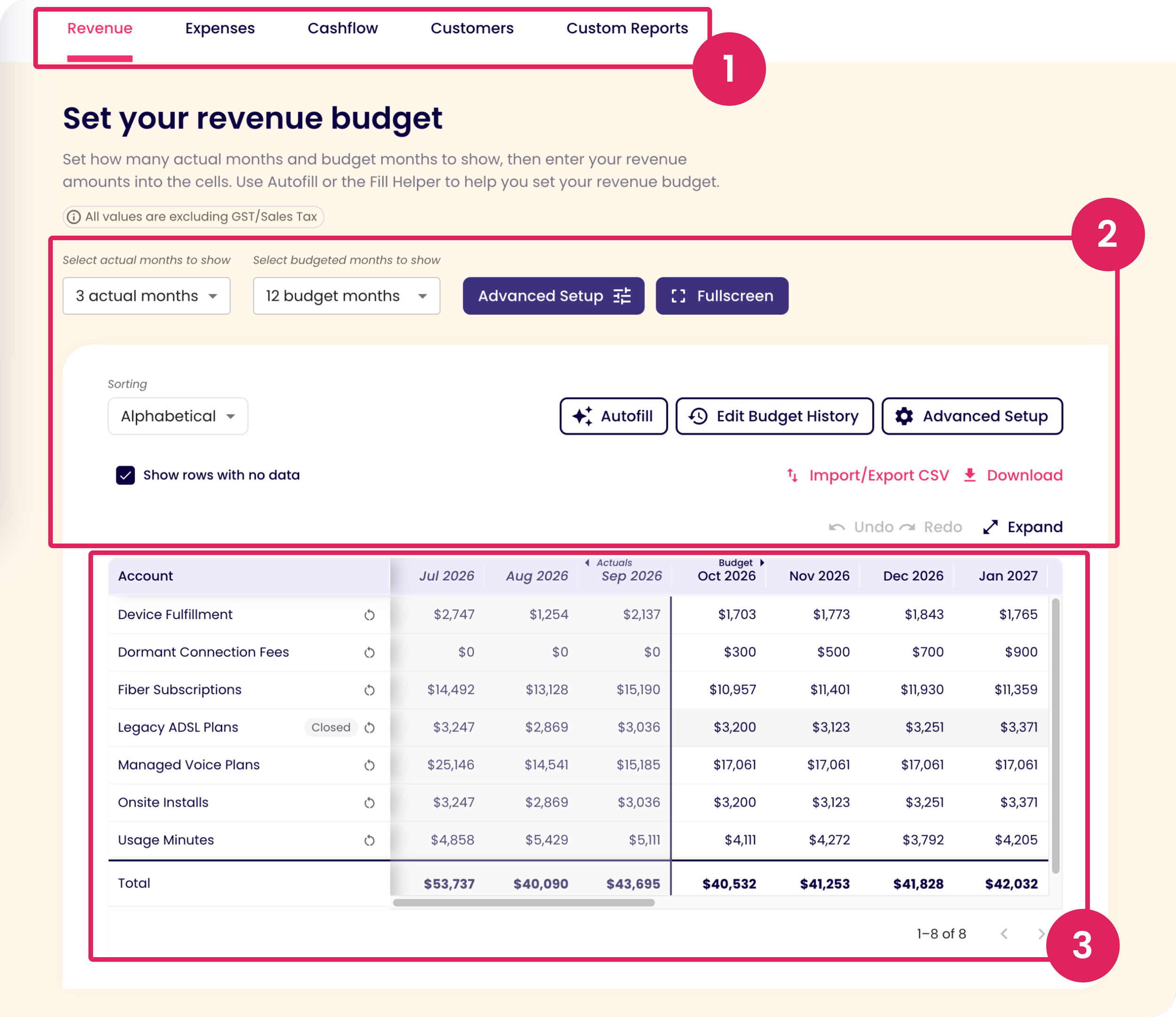
The tabs are helpful because they breakdown each category so the user only has to focus on one category at a time.
The downside is that the user can’t see how the different categories compare to one another.

Unclear Actions
Every account, line item and control competed for attention at once, which made the UI overwhelming. There is no visual hierarchy.
“Advanced Setup” and “Fullscreen / Expand” are repeated twice.

Cognitive Overload
The table is really small and overwhelming since there is a lot of information shown all at once. Since the table is small, the cells almost merge together and it’s hard to focus on one accounts budget at a time.
The total line has limited visual weight to differentiate between other account lines.

Editing a Cell
Users struggle to know that each cell is an input field that they can type in to change their budget.
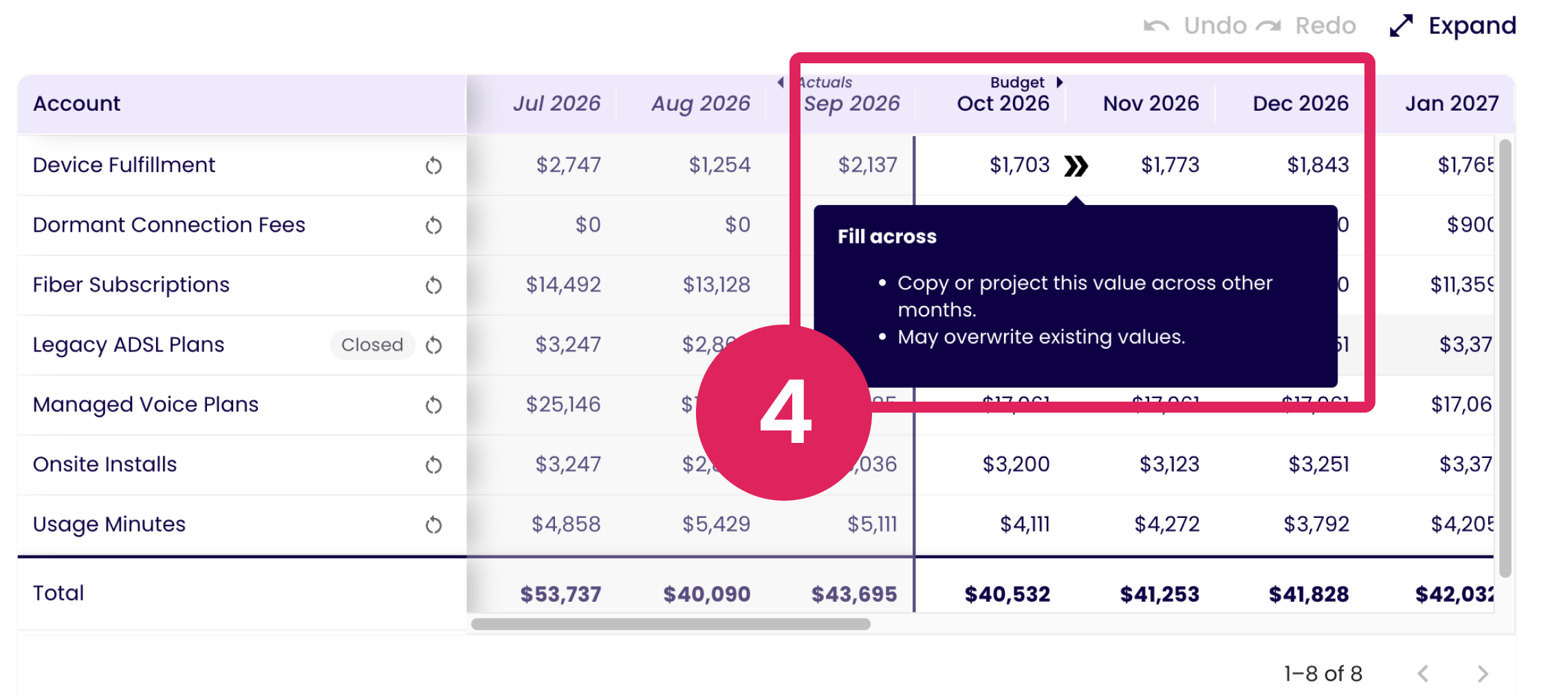
They don’t notice the “Fill Across” feature that appears when the user hovers over a cell and even when they see the right arrow, they don’t realize that they can click on this to open the “Fill Across” modal or drag it to the right to fill future months in the account.

Confusing Input Fields
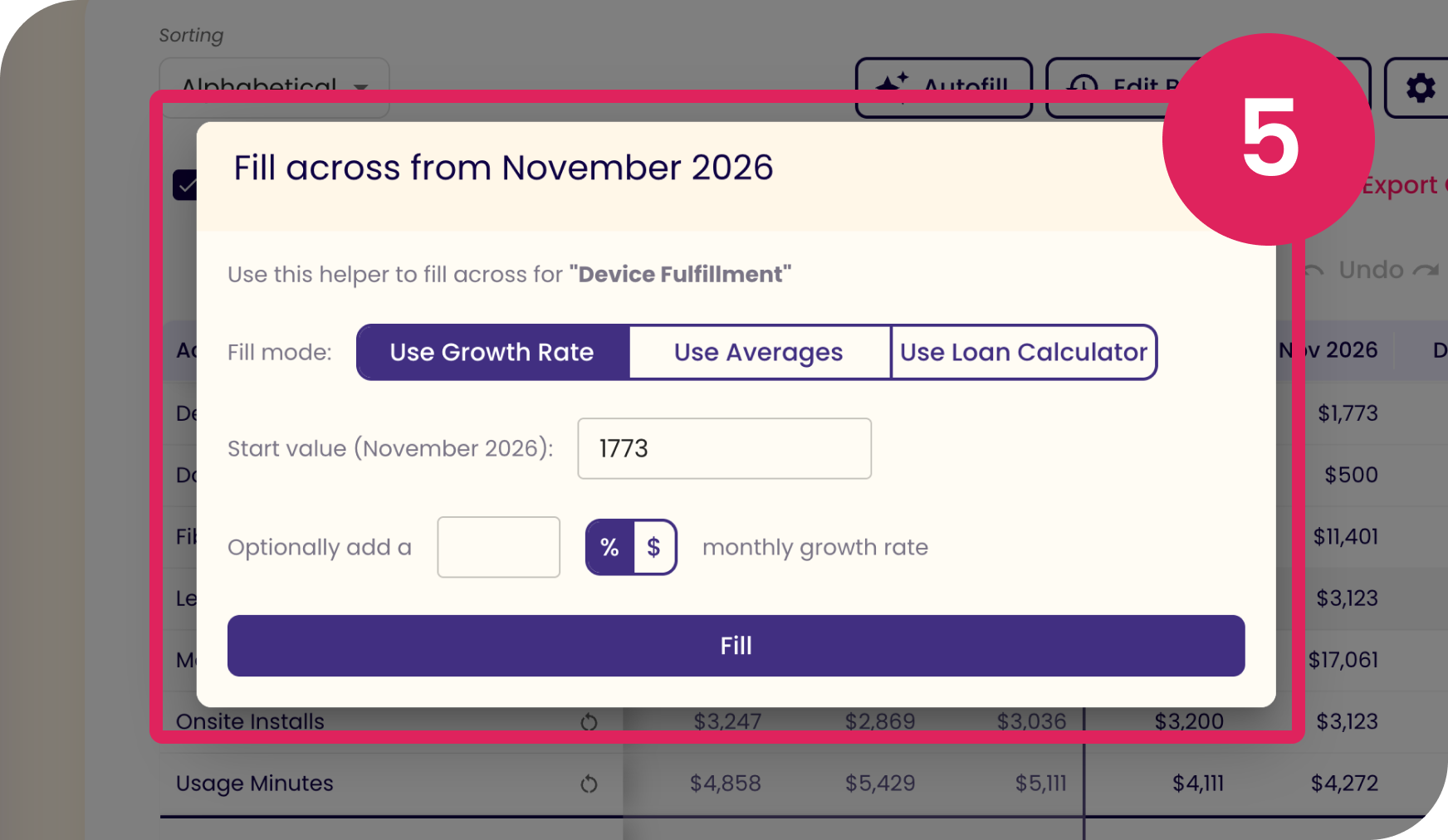
When the Fill Across modal is open, the actions to complete are unclear. The user can’t see how their inputs in Fill Across affect their actual budget.
The Use Loan Calculator mode is irrelevant for all accounts except for loan accounts and holds no value on this modal.

Solution
Redesign the budget editor to reduce cognitive overload, cater to every small business owner's preferred budgeting style, and help users feel confident in the direction their business is headed.
-
Goal 1
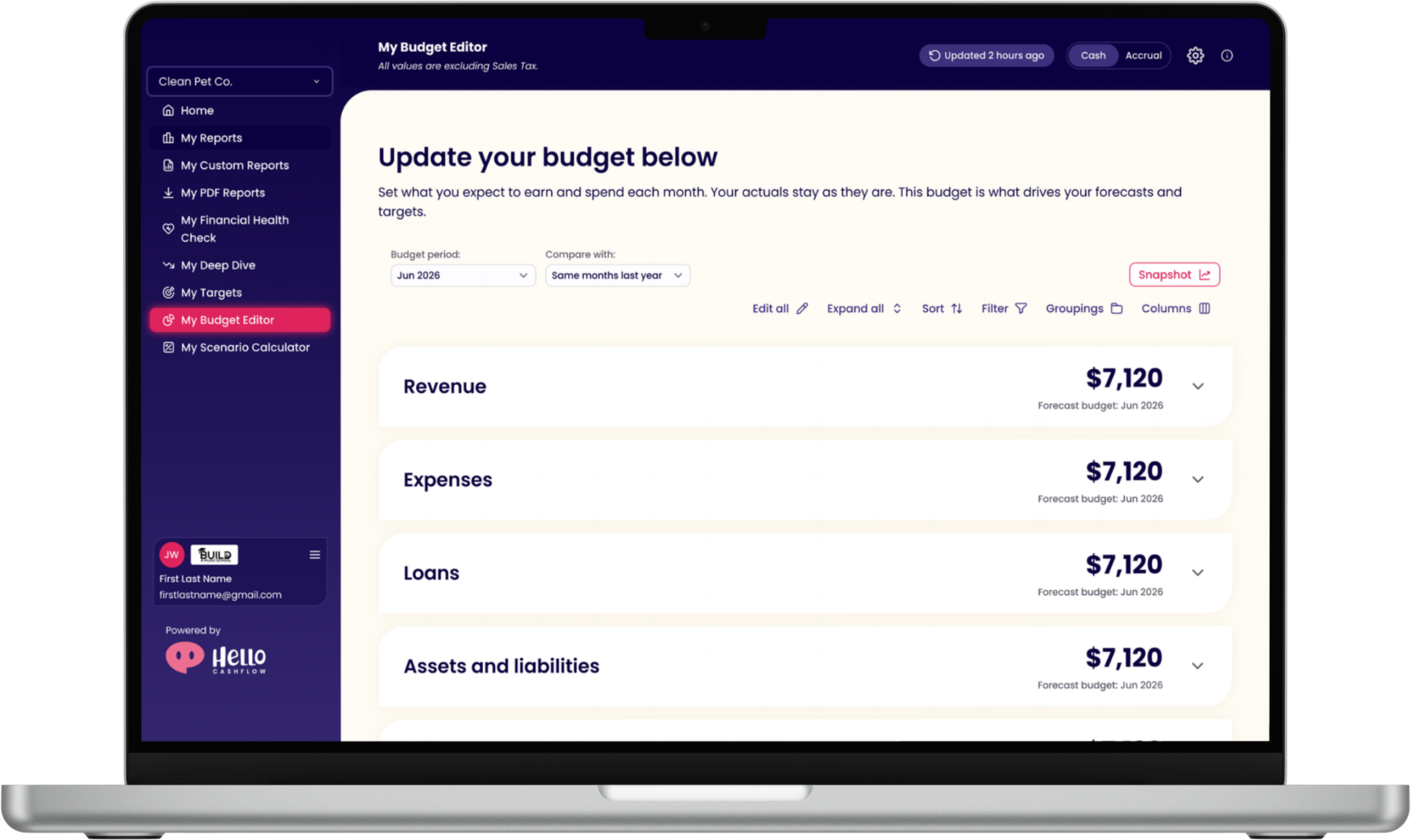
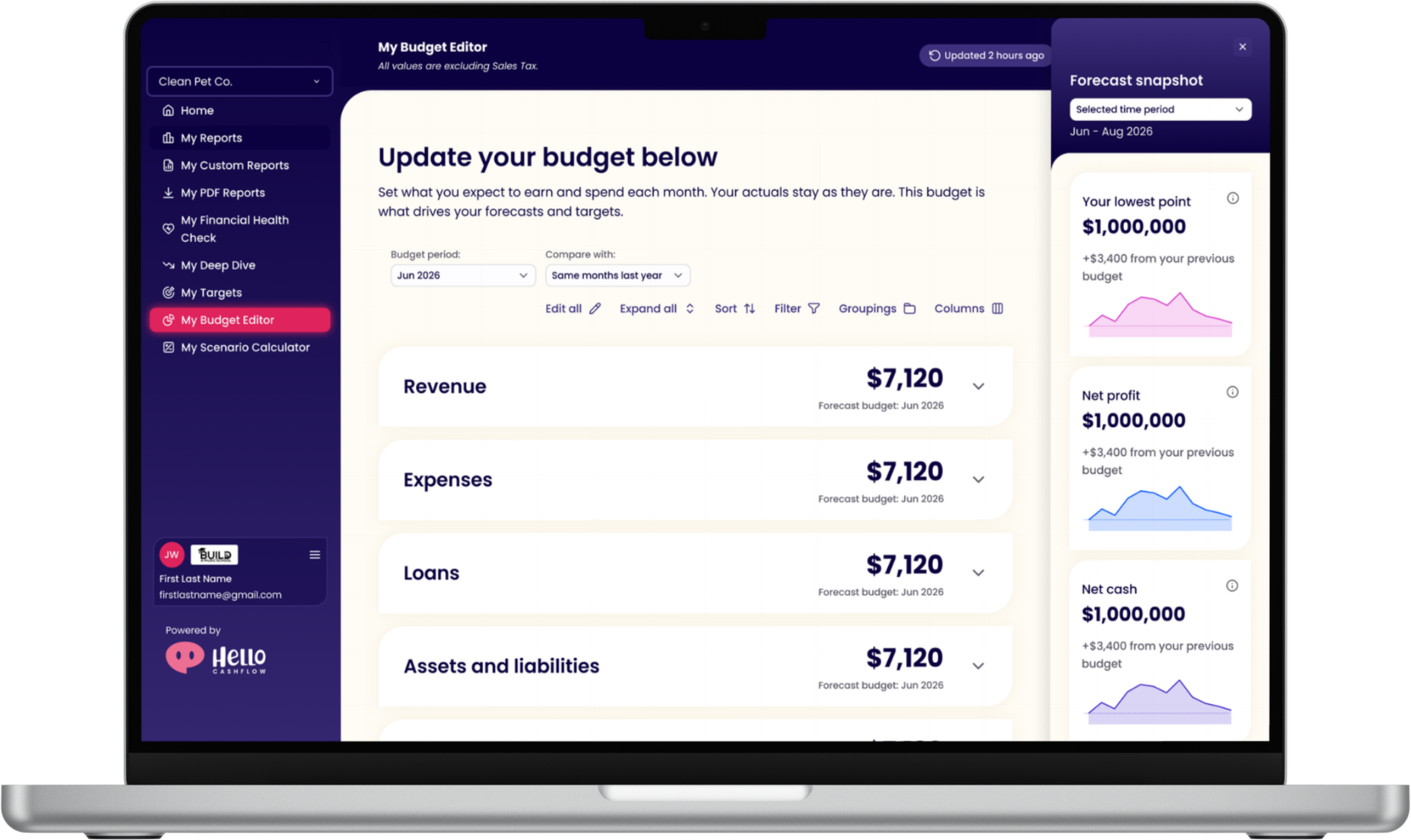
See your whole budget forecast at a glance based on preferred date ranges.
-
Goal 2
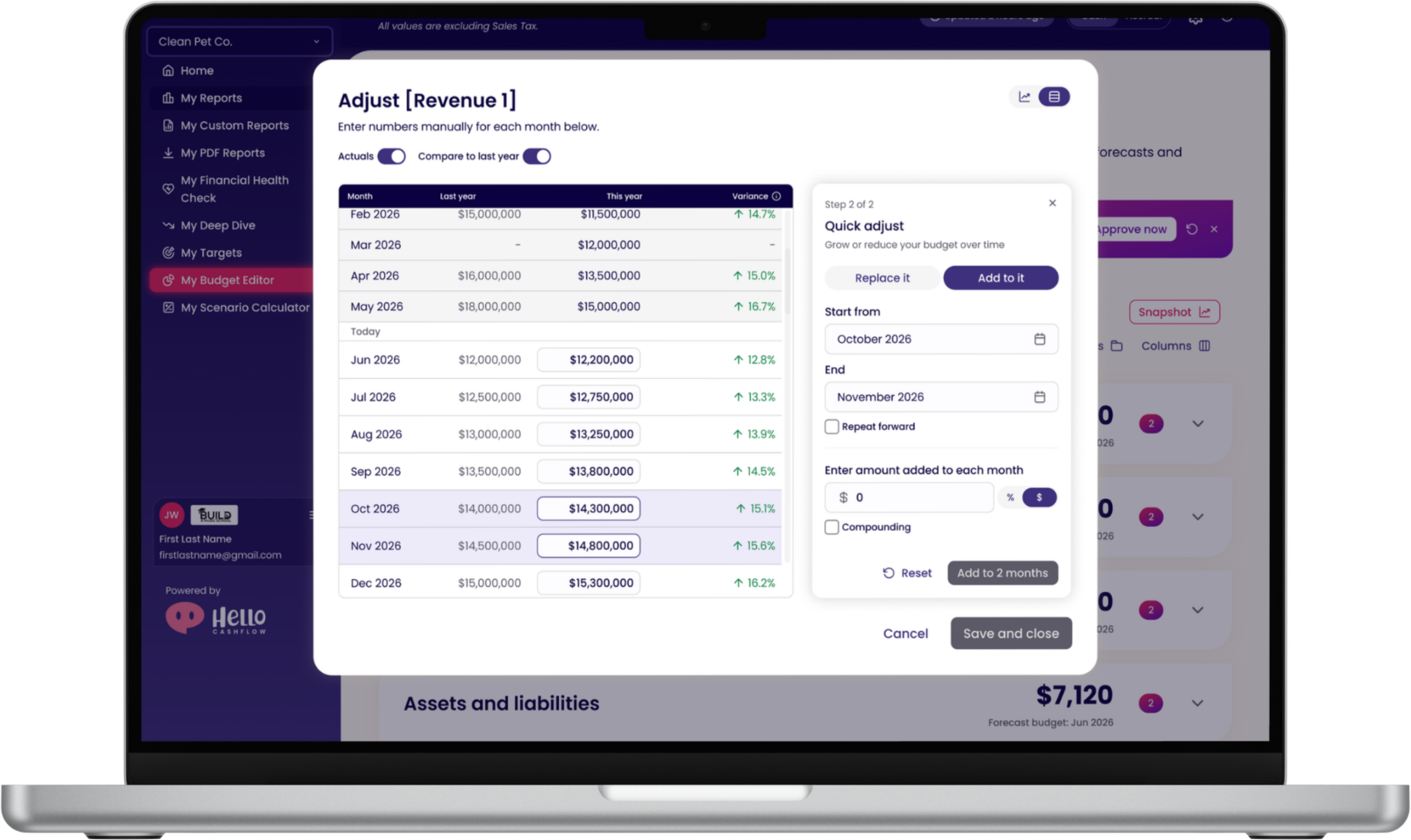
Edit your budget either in Table View or Graph View. You get to choose what works best for you.
-
Goal 3
See the impact of every change in real time.
Research and Constraints
As a startup, we didn't have the time or budget to run formal research. Instead, I built my understanding of the problem from the sources closest to our customers:
Customer call transcripts
Customer feature requests that were logged by our Customer Success team on a shared feedback board.
Internal reviews with our accountants and Chief Product Officer, who work with customers' budgets every day.
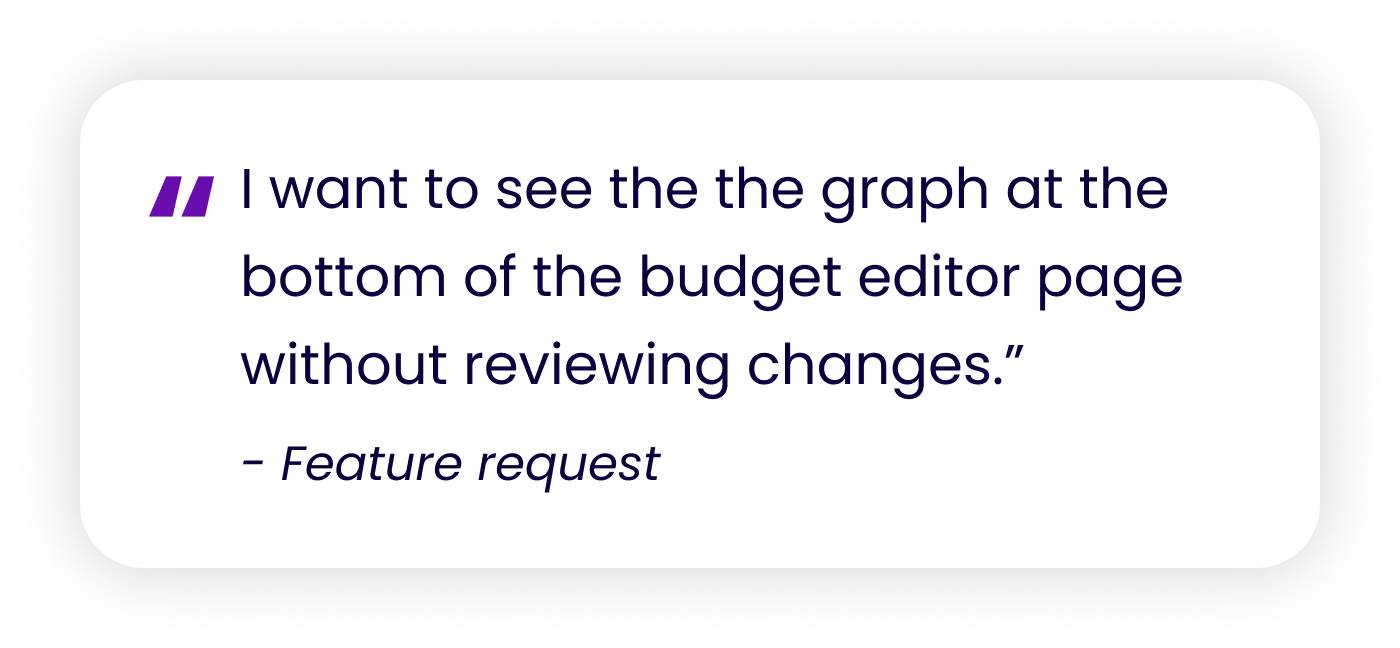
What this told me: Users wanted to see the impact of a change as they work.
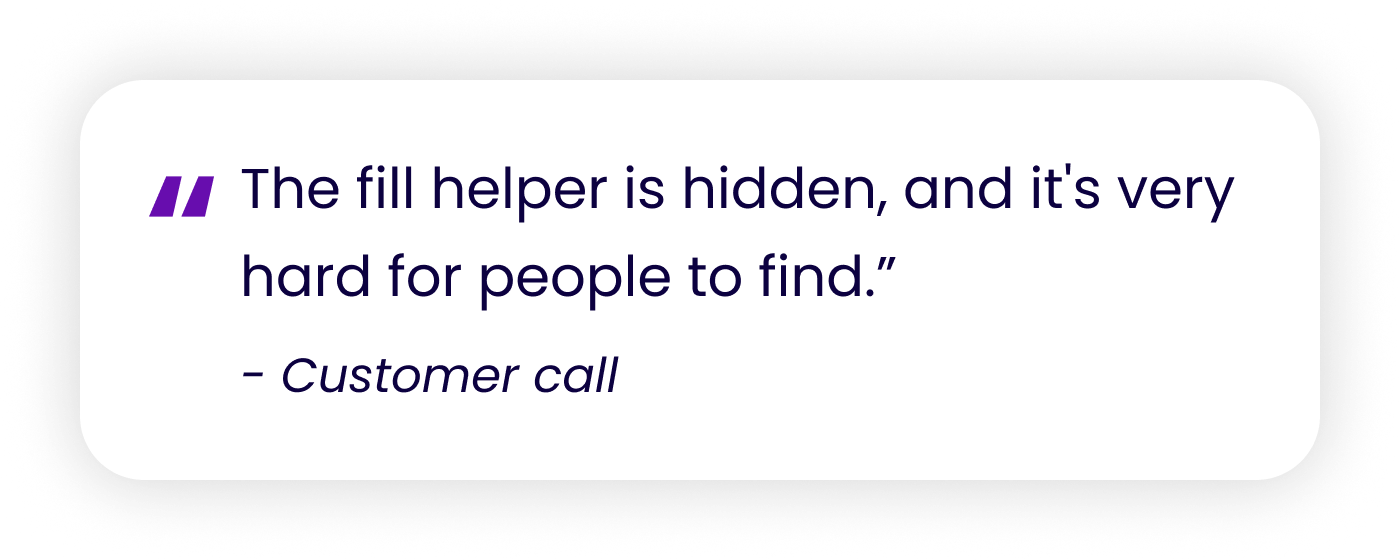
What this told me: Important editing tools weren't discoverable.
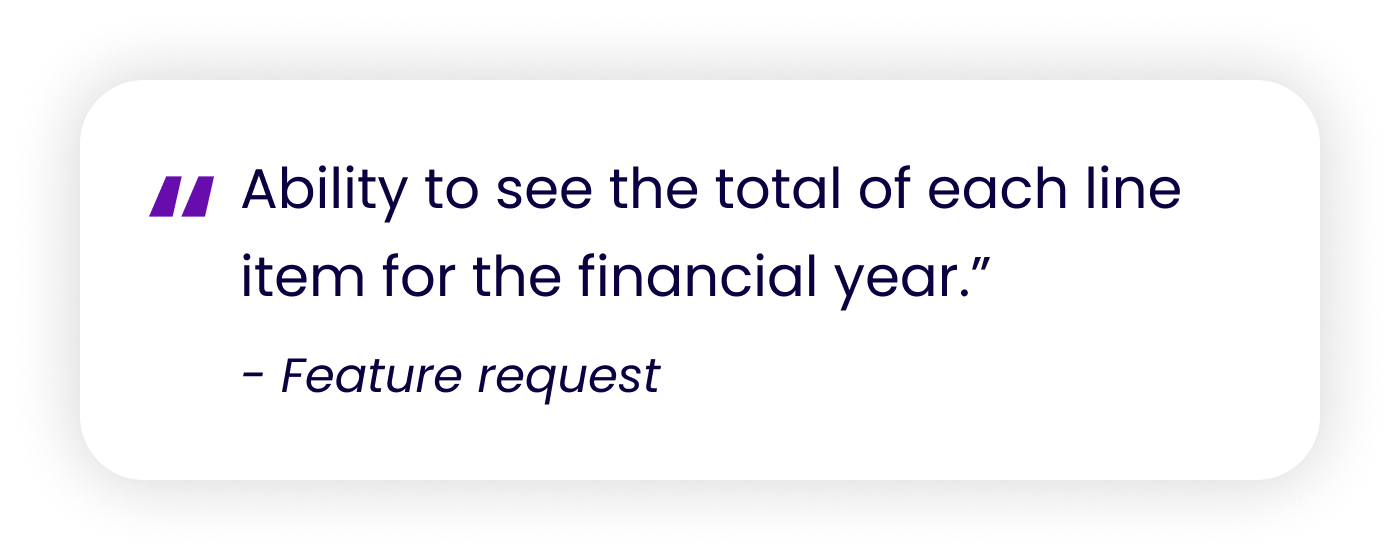
What this told me: The legacy editor’s total row wasn’t noticeable and users couldn’t see how their account was doing for a specific date range.
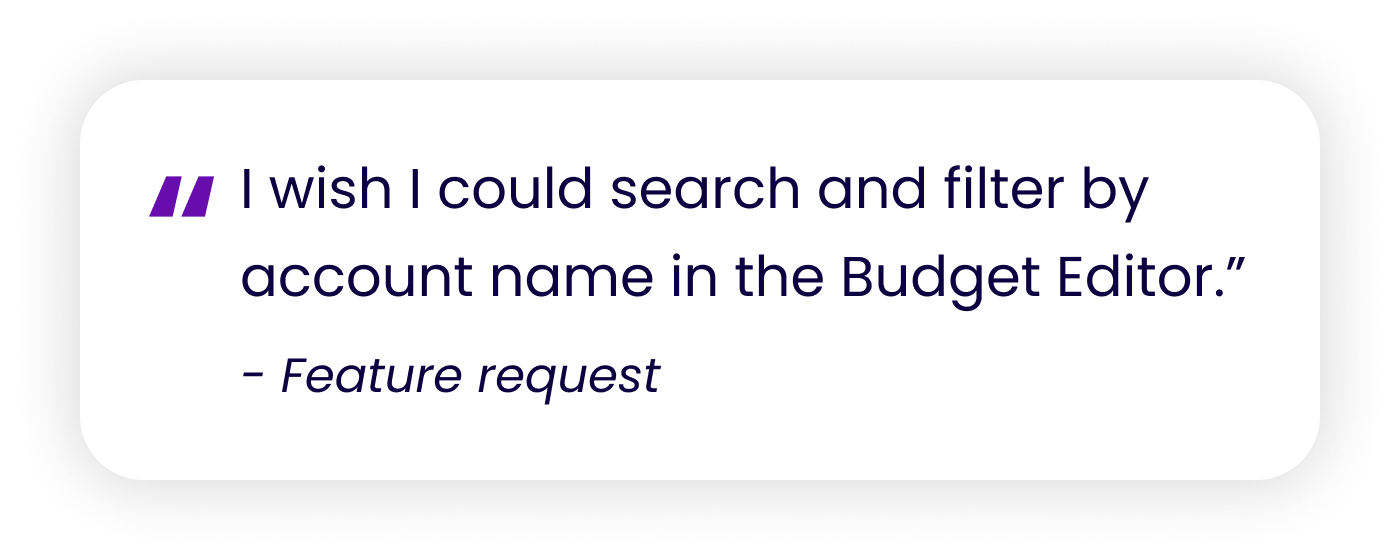
What this told me: Businesses with a long chart of accounts struggled to find the line item they needed.
Defining the MVP
I met with our accountant, Chief Product Officer, developers and software tester to decide what belonged in the MVP and what could wait.
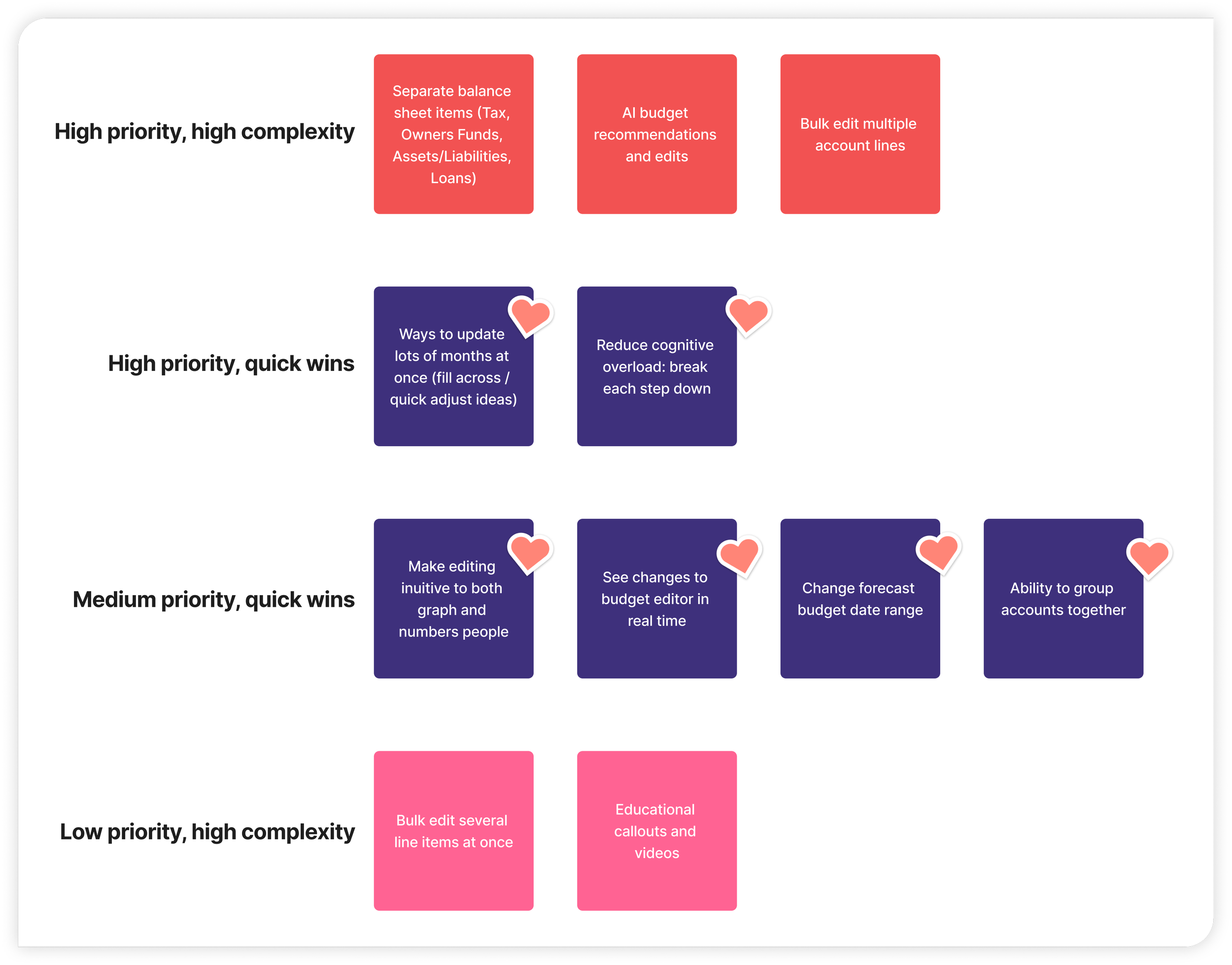
As a group, we organized each idea by priority and complexity. We focused the MVP on the high and medium priority with quick wins. These are the changes that would make the biggest difference for users without slowing down launch.
The ideas with the heart stickers were prioritized first in the MVP.
The ideas not in this MVP launch will be reassessed during the Phase 2 launch.
How might we give small business owners a clear view of their forecast, and the impact of every change, without overwhelming them?
Hello Cashflow’s Feedback Process
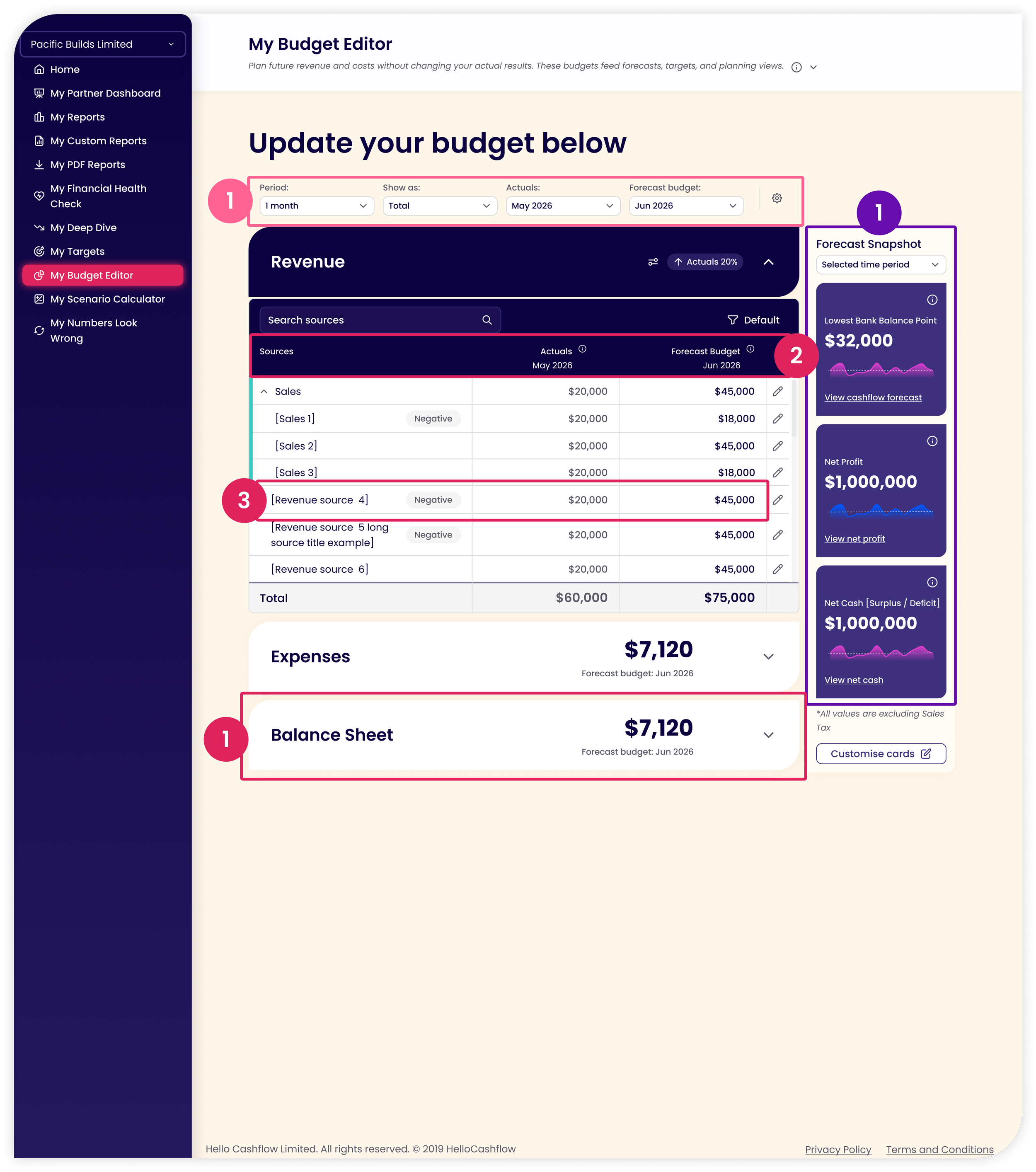
After the MVP was agreed on, I started the first round of design iterations. This was then passed on for review. The following feedback was used to inform my design choices in the second round of iterations.
Chief Product Officer:
Requested that the Snapshot cards have a comparison value against the users previous budget.
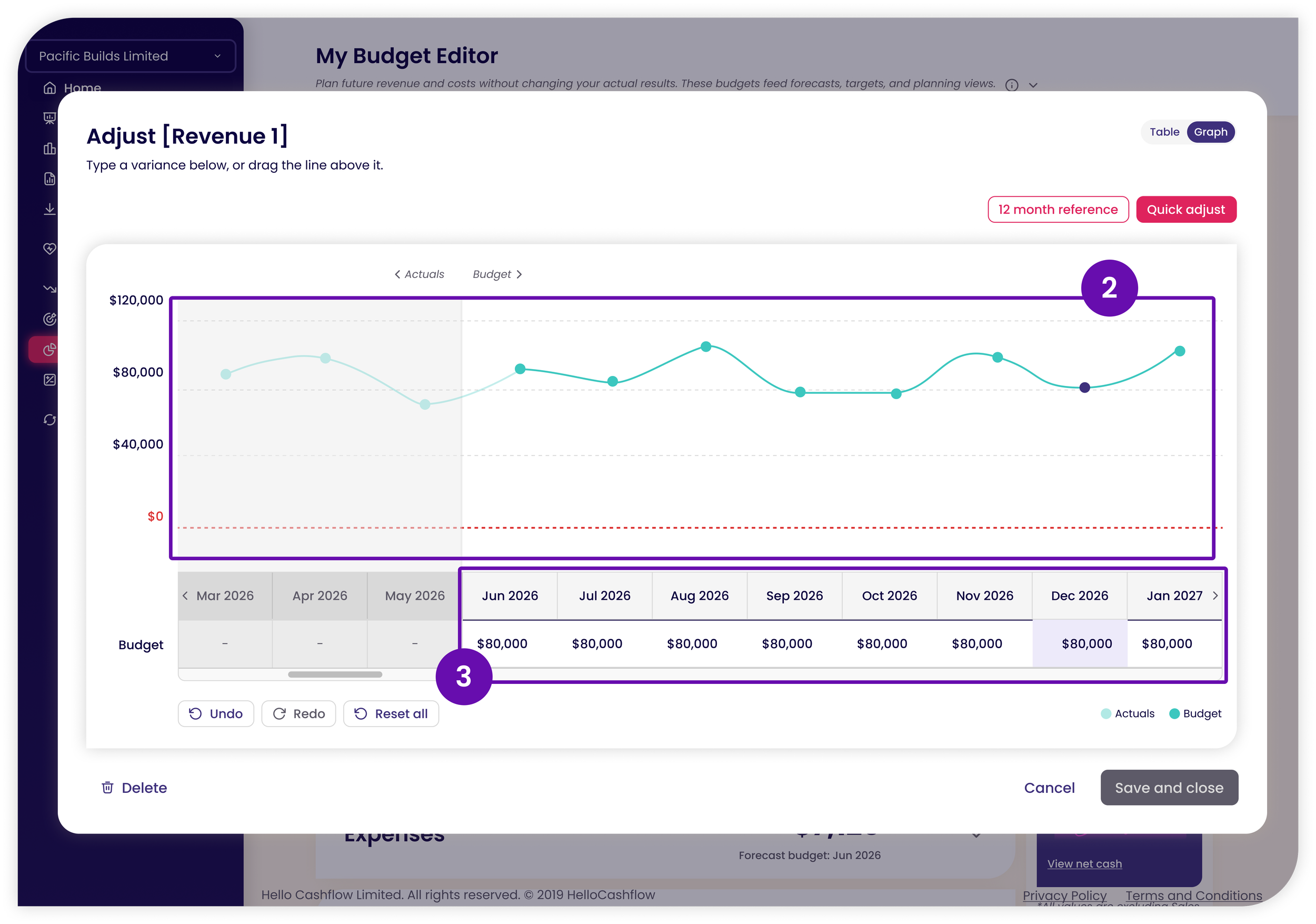
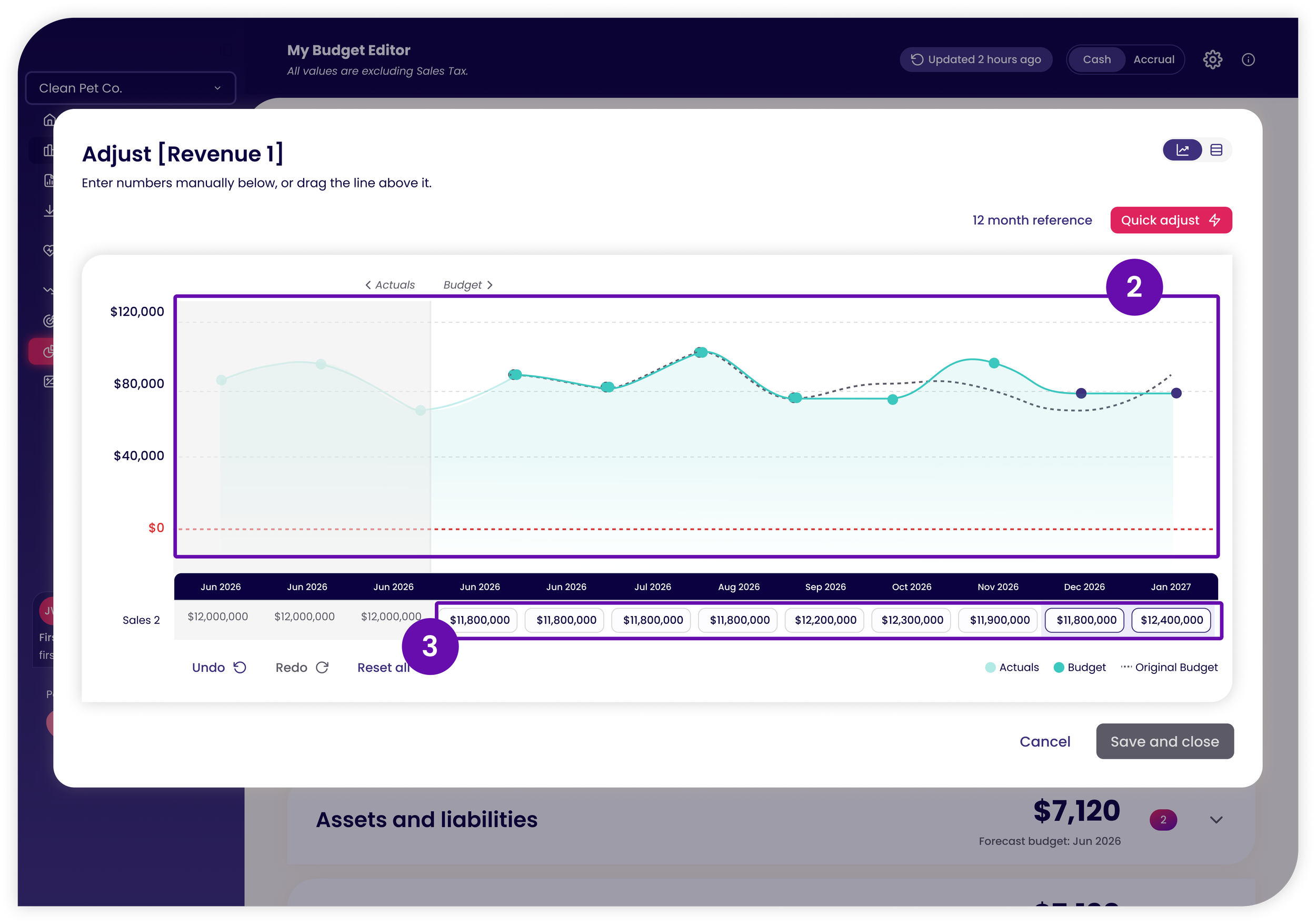
Requested that the original budget line stays visible while editing in graph view.
UI changes to individual input cells so the user knows they can type in the cell.
Changes to the Quick Adjusts’ input fields and naming conventions.
Accountant:
Requested the balance sheet accordion gets split into different balance sheet account categories: Loans, Assets and Liabilities, Tax, Owner Funds.
Add the variance column to show the comparison between the actuals and forecast budget.
Negative numbers placed in brackets, like ($500) to match competitors.
Developers:
Requested that the accordion settings be added as a global Budget Editor setting panel.
Design Iteration Round 1

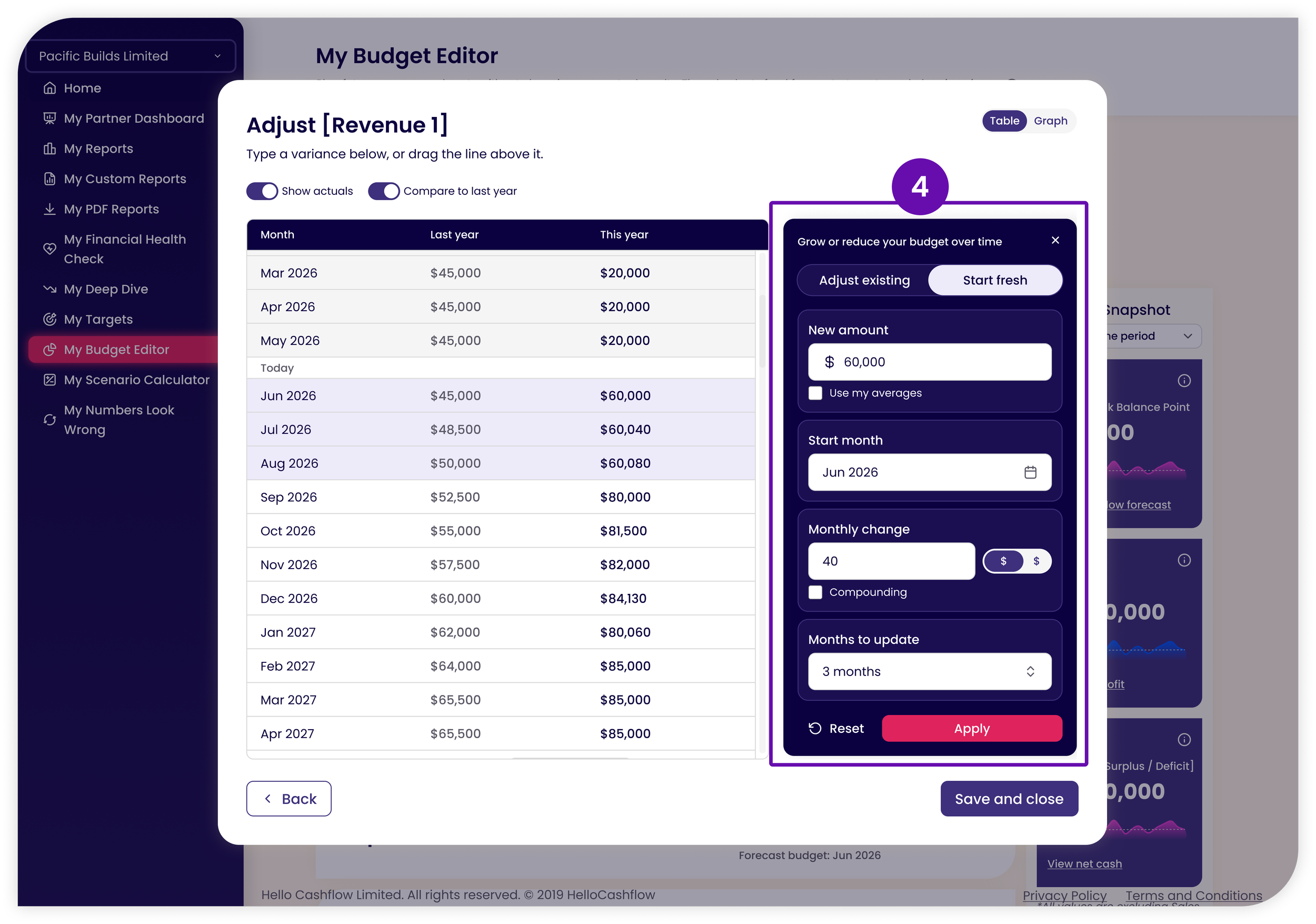
Design Iteration Round 2
Hello, My Budget Editor
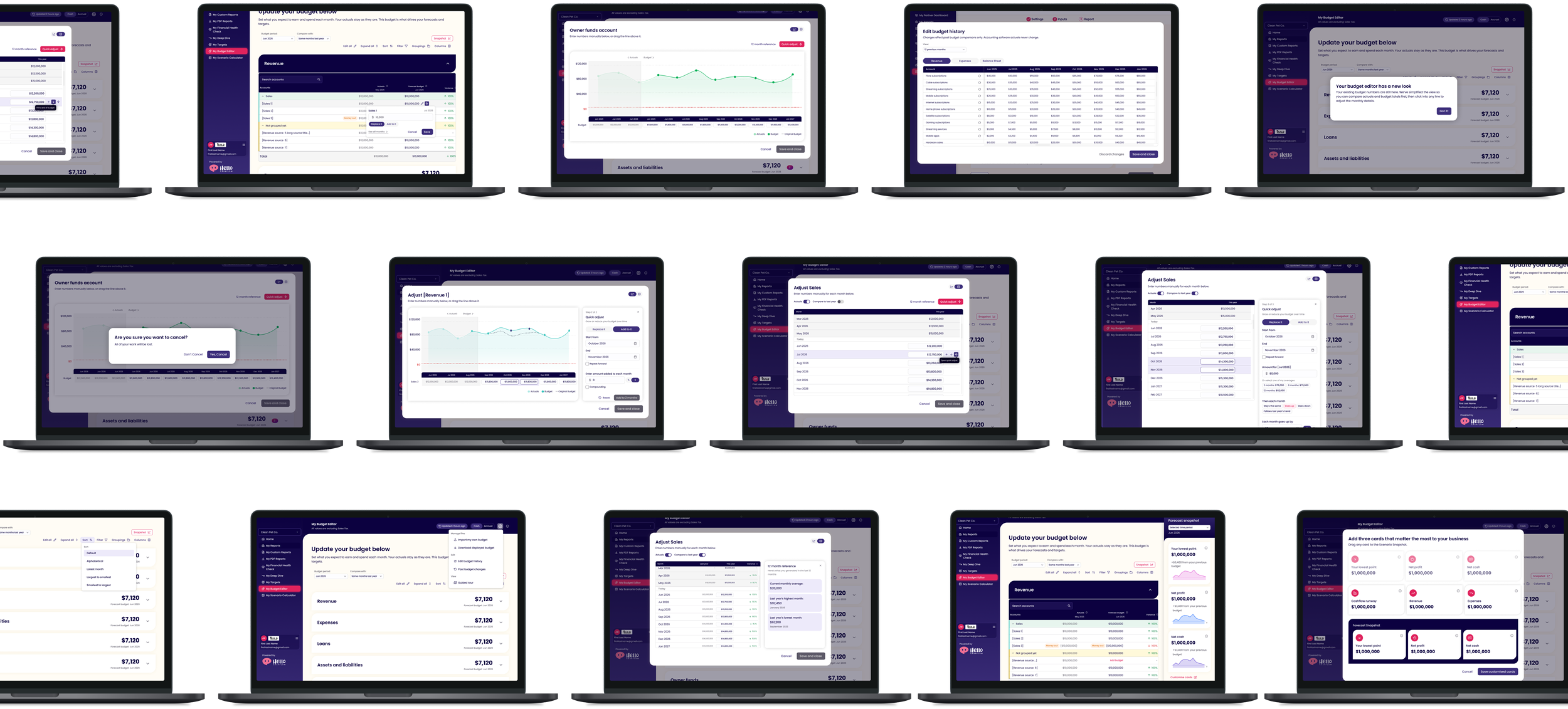
Learn the Why Behind My Design
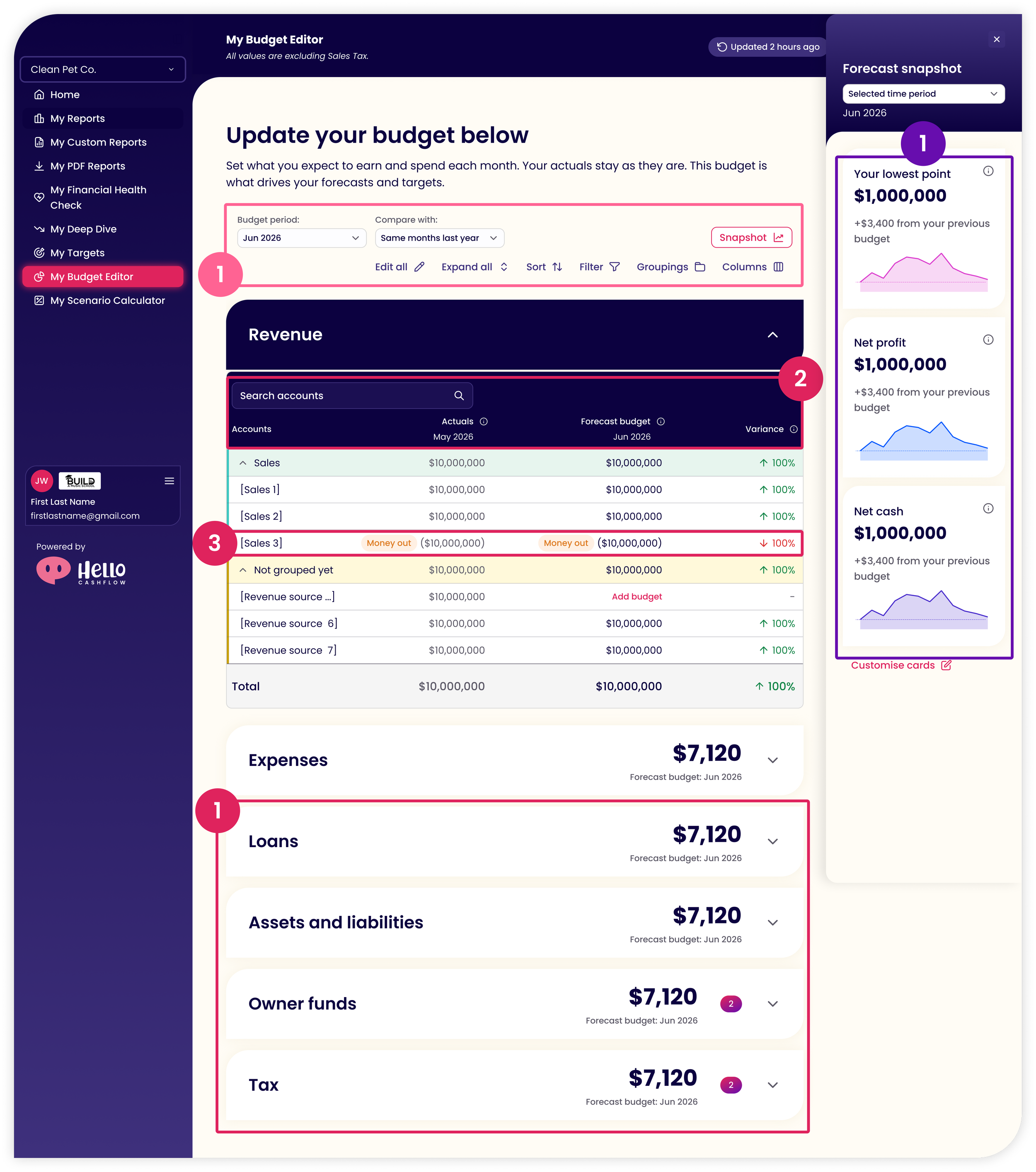
Accordions on the Main Page
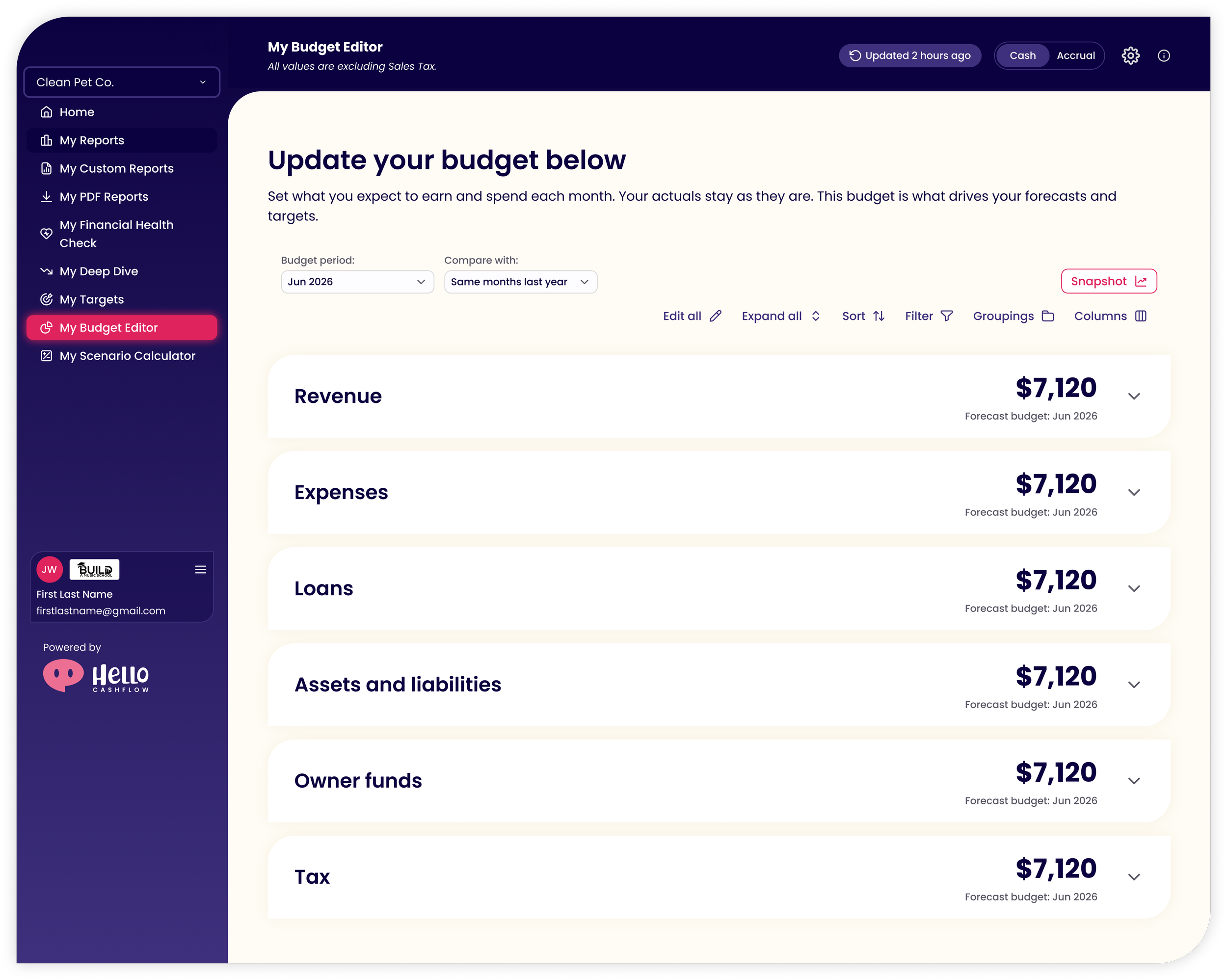
Legacy: Tabs that showed everything on one table.
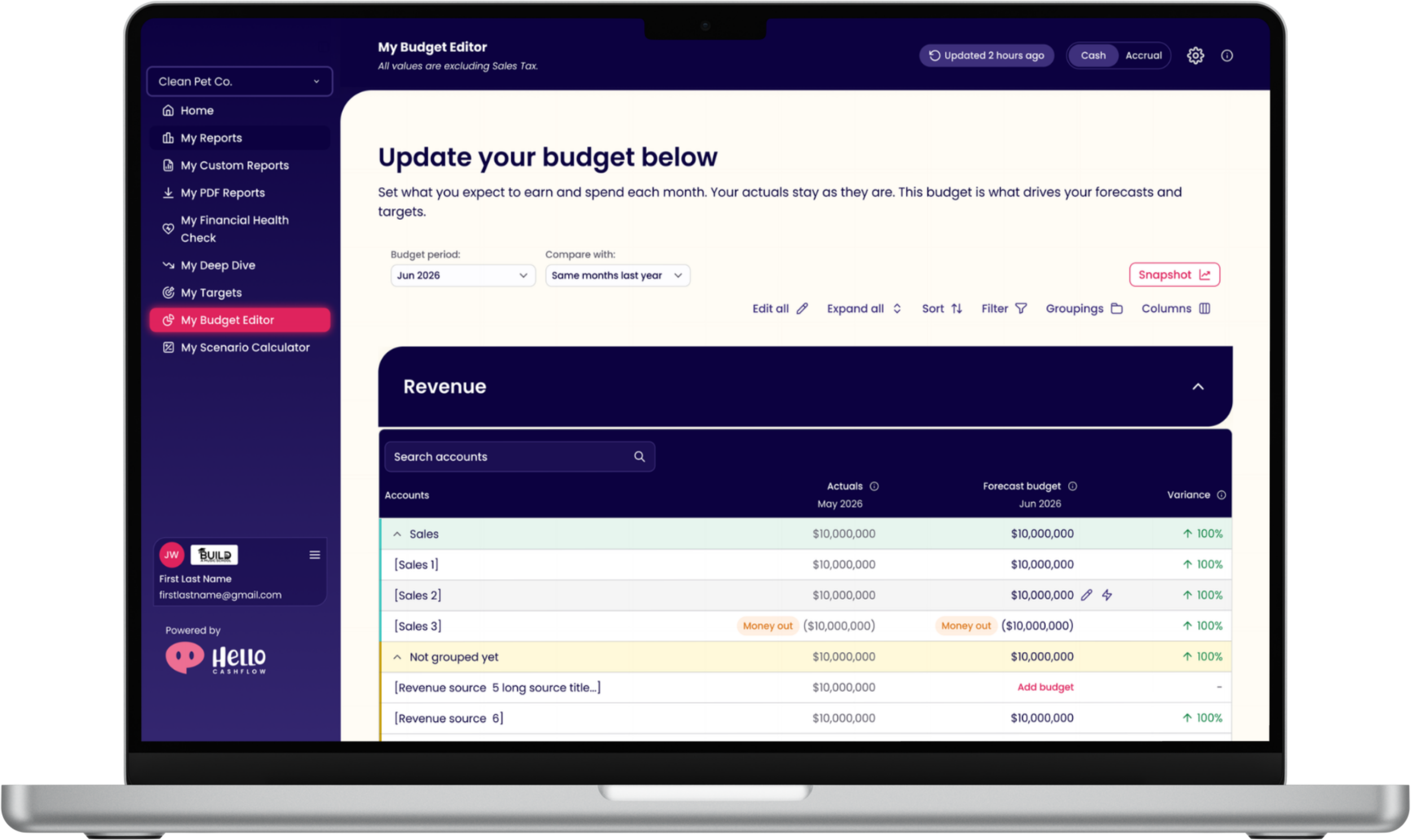
Redesign: Each main account (Revenue, Expenses, Loans, Assets and Liabilities, Owner funds, Tax) sits in its own accordion with its forecast total for the selected budget period.
Why: Following progressive disclosure, the first thing users see is the answer to their top question: what do I have forecasted? They can change the budget period or open the Snapshot and immediately see how it affects their overall forecast, without being overwhelmed by single line items.
Actions within an Accordion
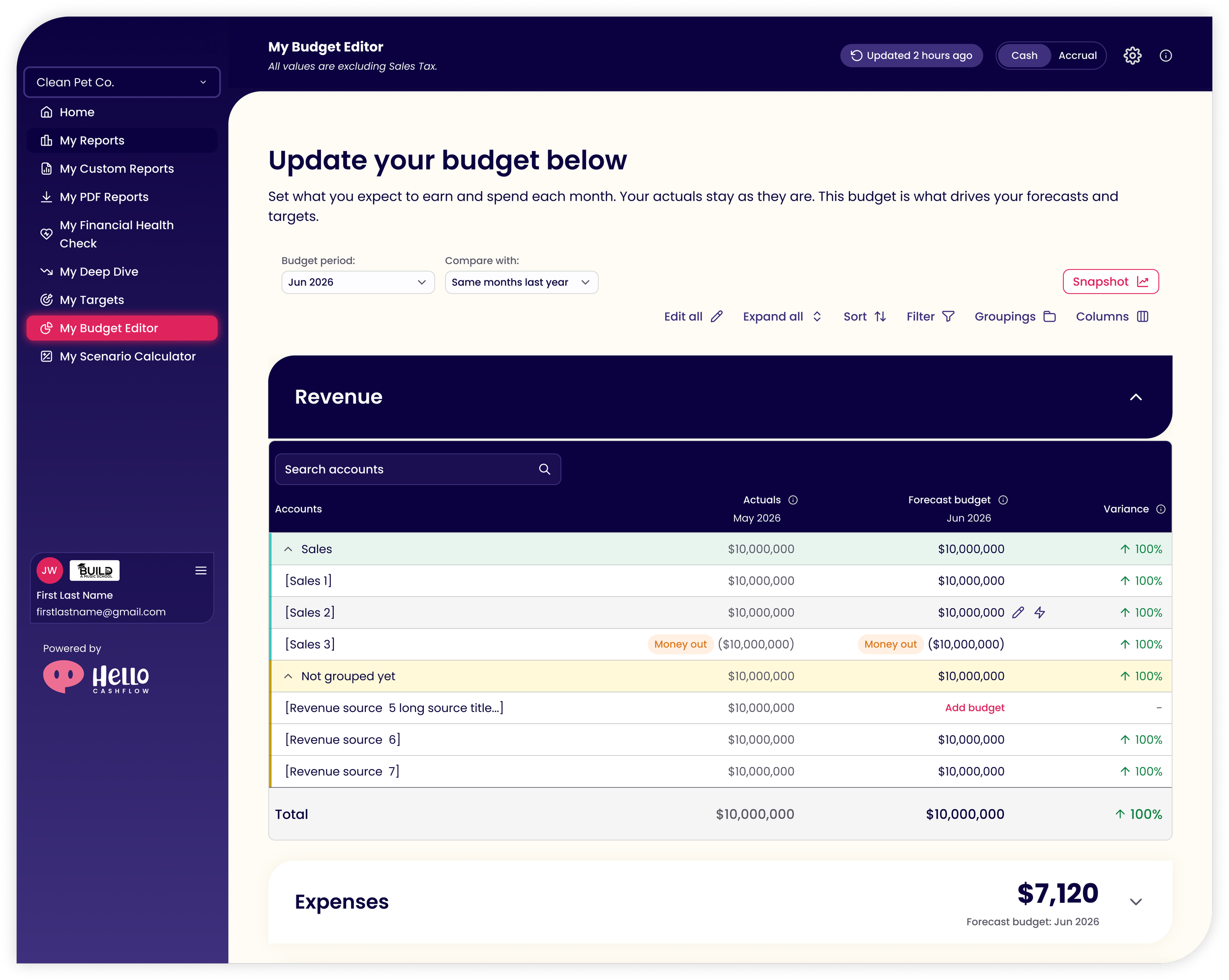
Legacy: Every line item for every account on one table, with no comparison.
Redesign: Opening an accordion shows each line item for that account. Users can compare their forecast budget with the same months last year, or with their latest actuals. Each line item shows a variance percentage.
Why: The variance gives users a baseline of how they're doing compared to how they did before. They can keep the Snapshot open and make quick edits to a single line item for one month, by adding to or replacing the current number.
Quick Adjust Modal
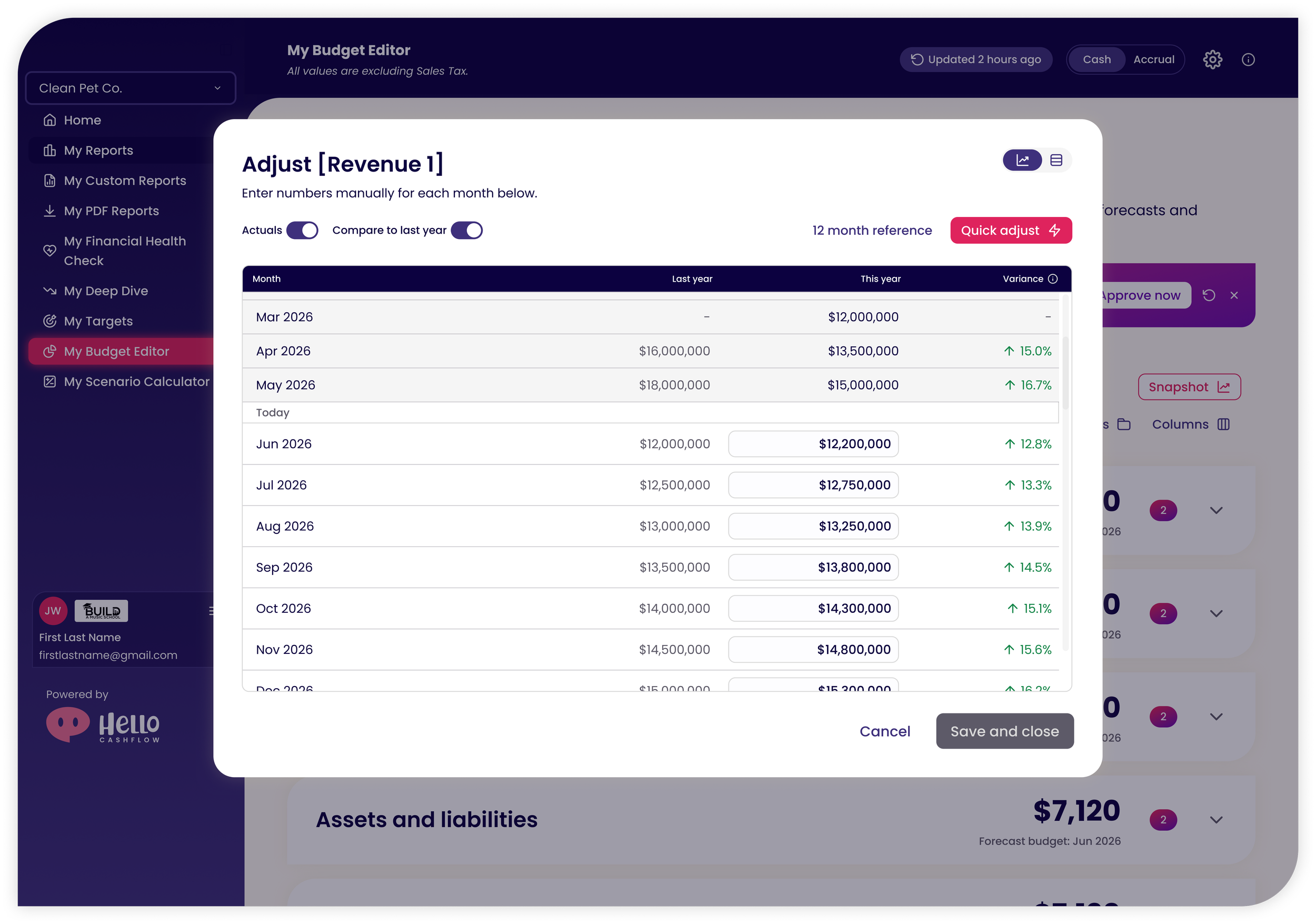
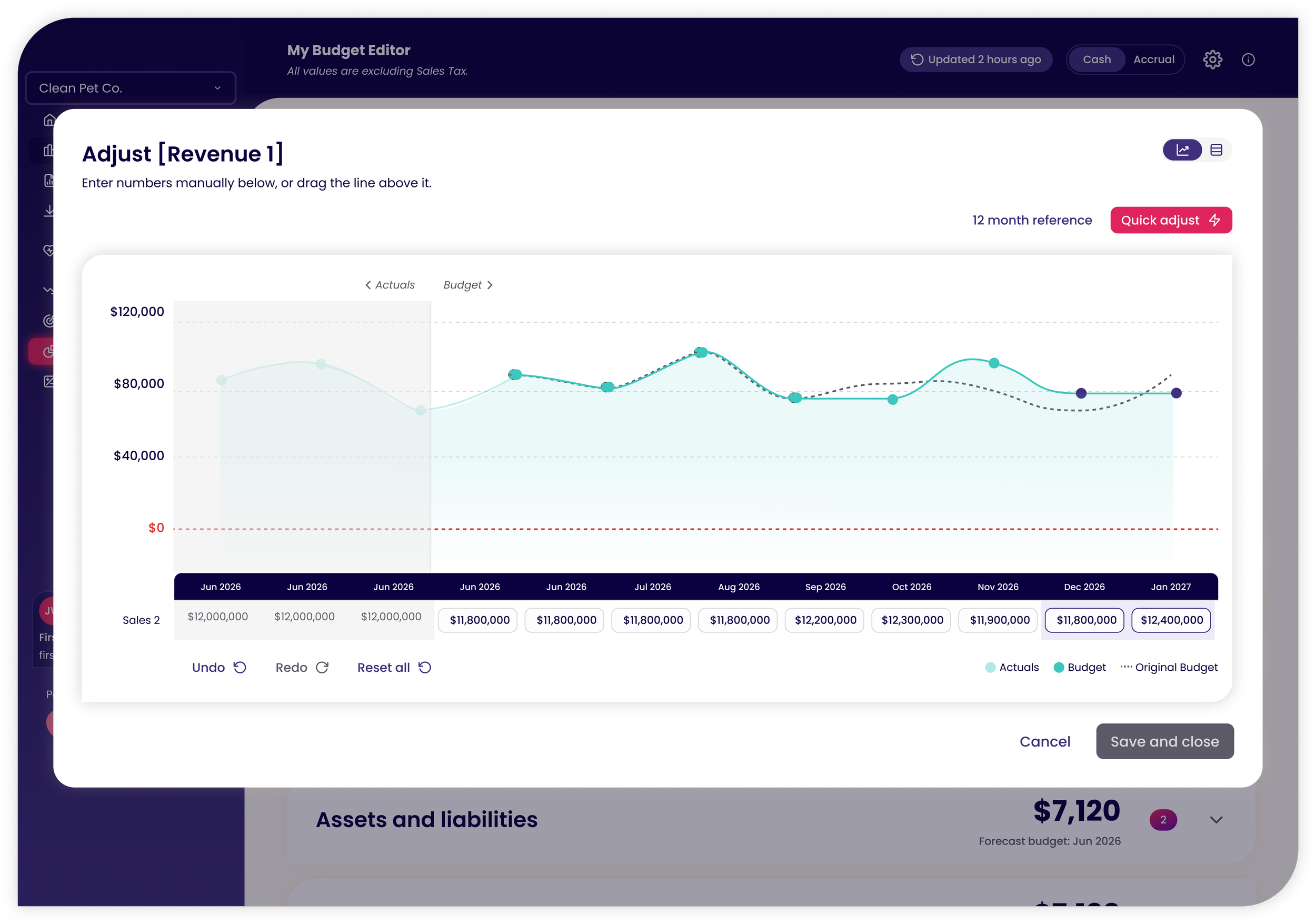
Legacy: A table only, with no direction text and no way to see changes in real time.
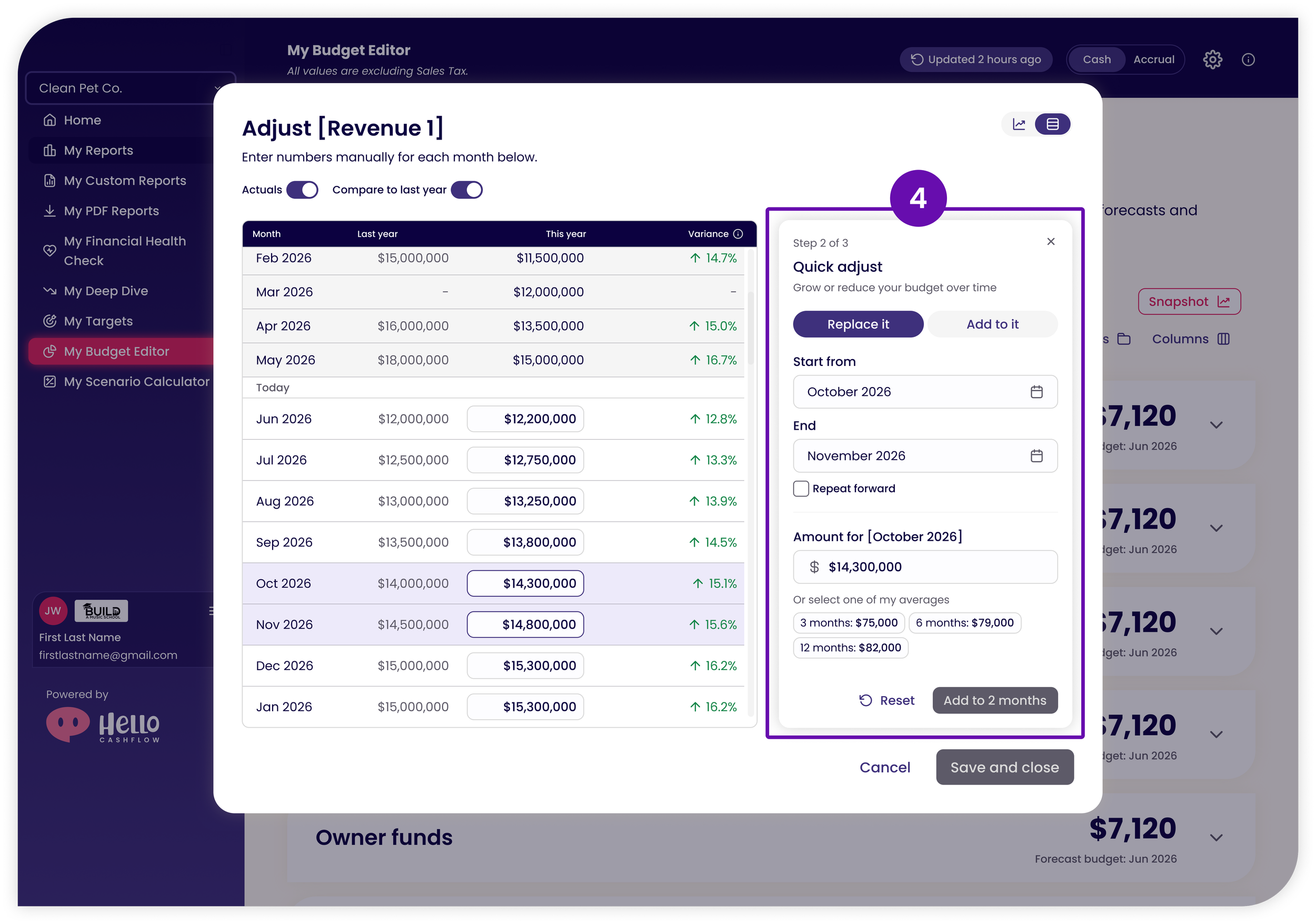
Redesign: Clicking Edit opens a modal with two views:
Table view for Number People: compare against last year's actuals and past actuals, and type directly into any cell.
Graph view for Graph People: see the budget as a graph and drag points up or down, or type into the input fields.
Why: Users can work the way they think, and both views update in real time.
Quick Adjust
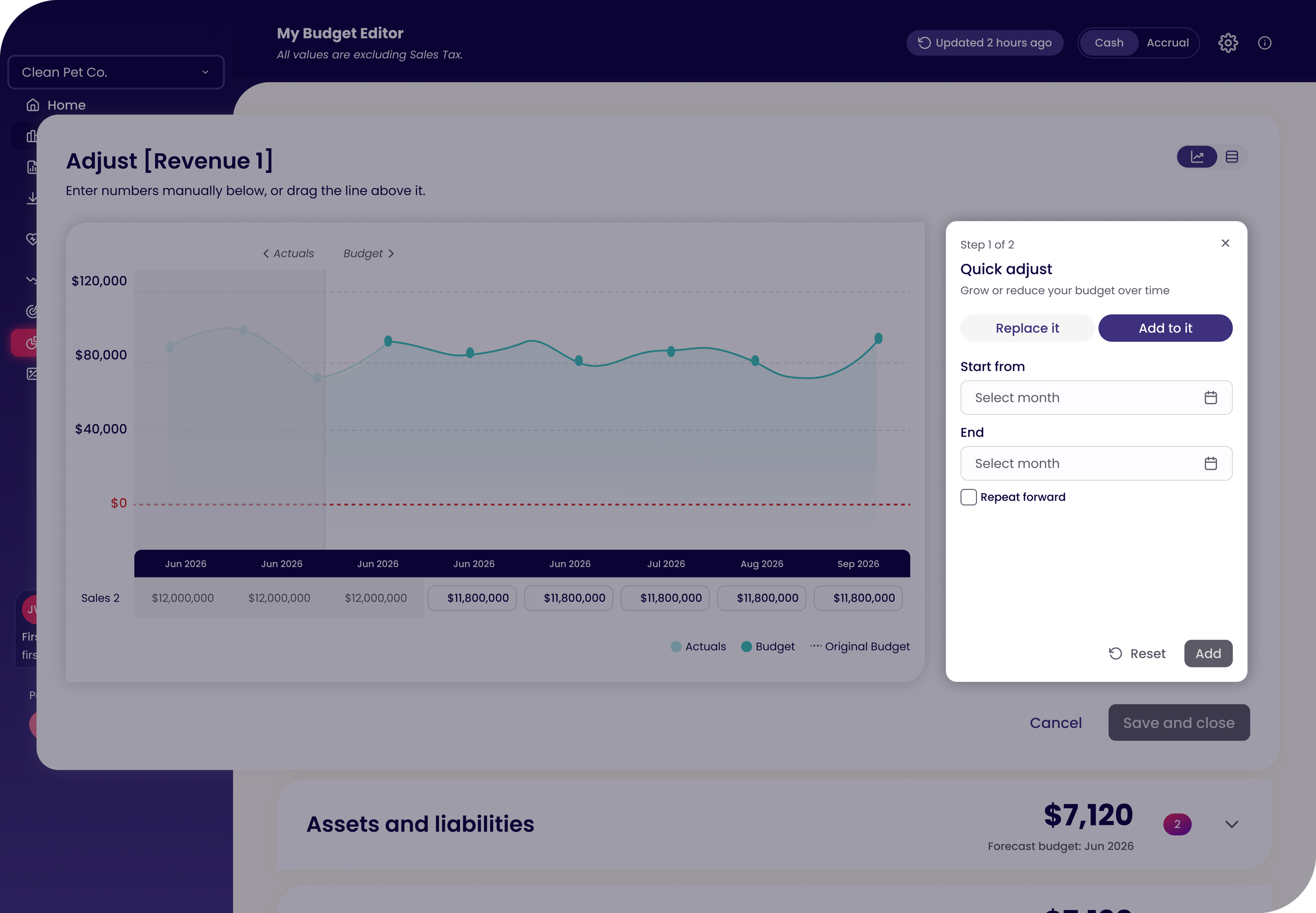
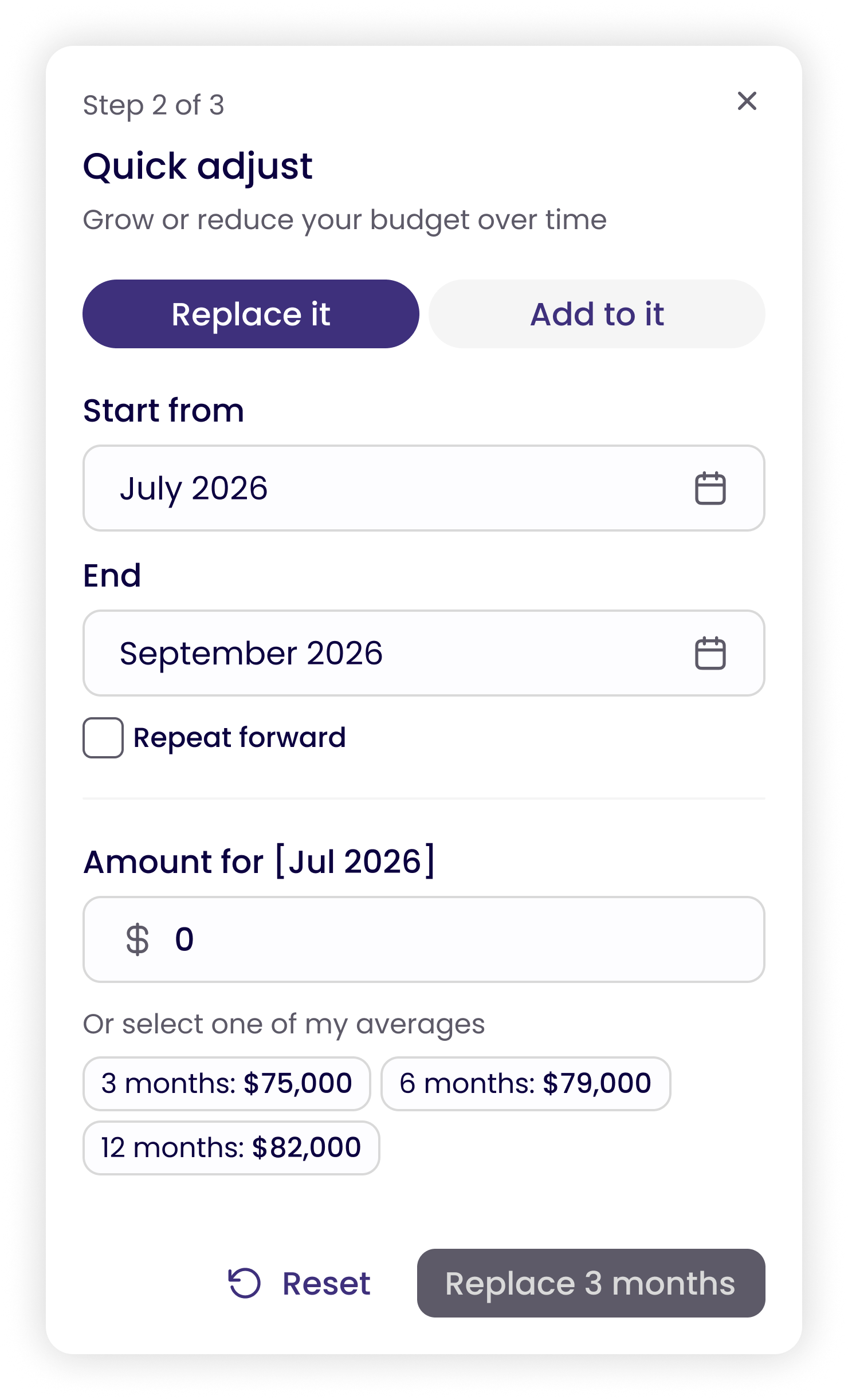
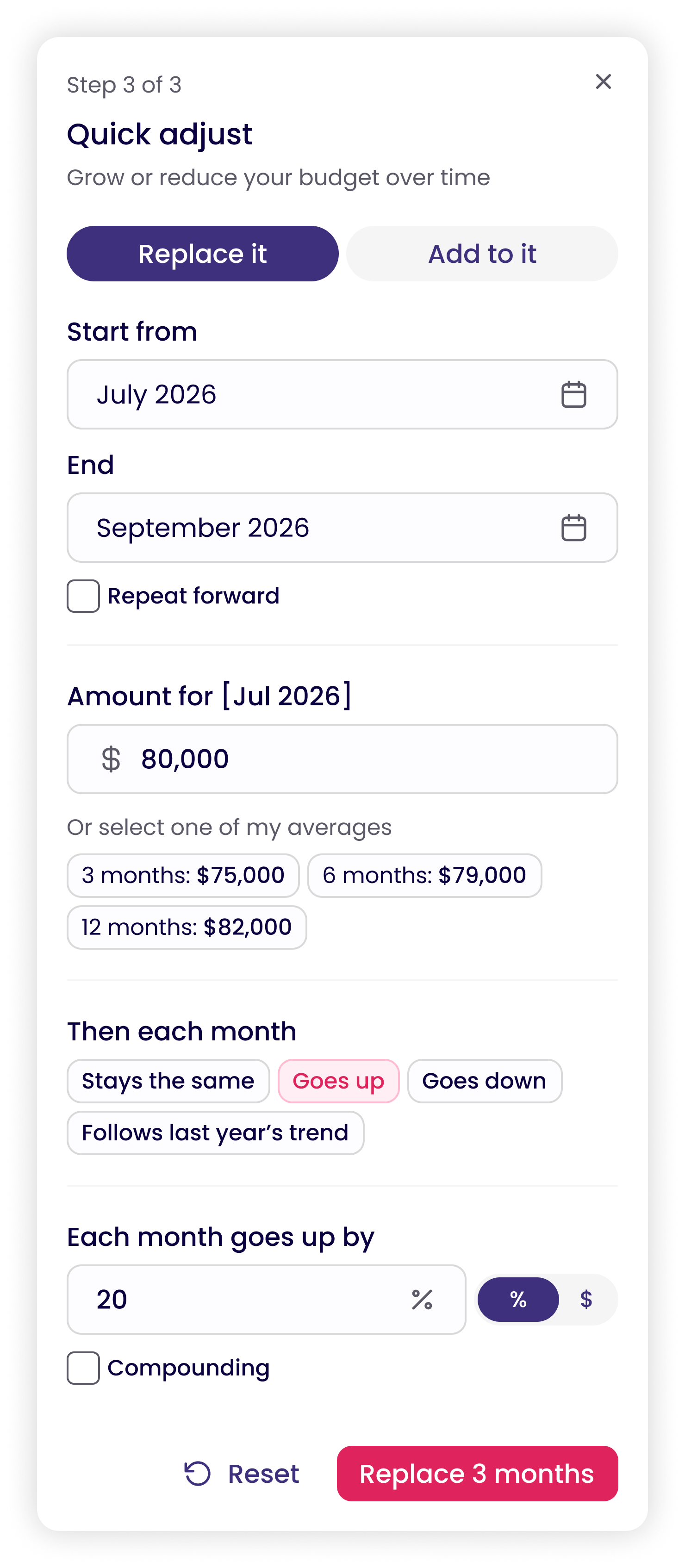
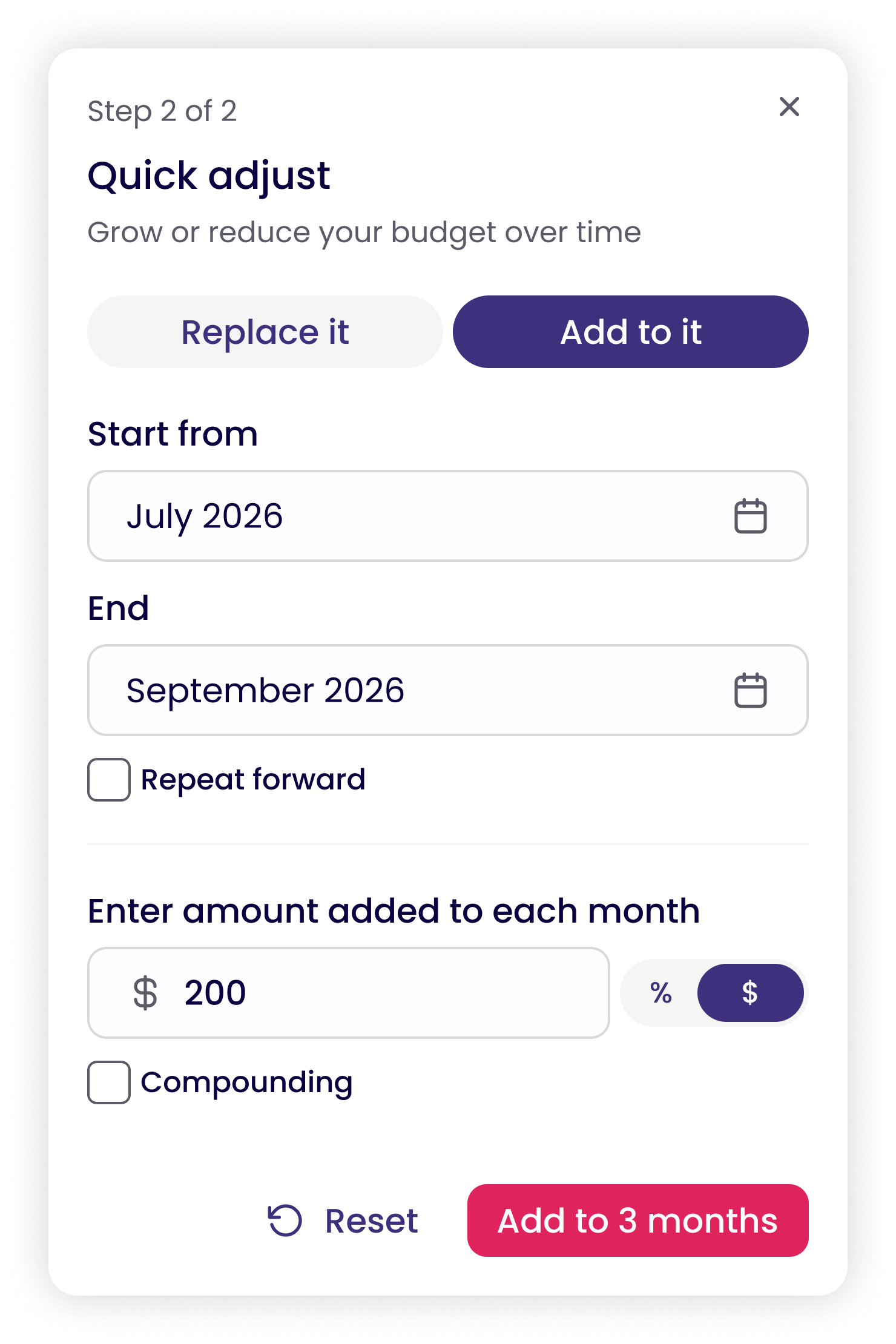
Legacy: "Fill across" was a nearly invisible icon that only appeared when hovering over one cell. It was one of the most important ways to set a budget, and almost no one could find it.
Redesign: Quick adjust now has its own Quick adjust button, and can also be opened by hovering over any cell. It opens a right side panel with two options: replace the number or add to it. Each option is broken into simple steps that guide the user through the change.
Why: Splitting the action into steps keeps it from feeling overwhelming. As users enter values, they see their changes in real time in the table or on the graph, so they always know what will happen before they save.
Forecast Snapshot
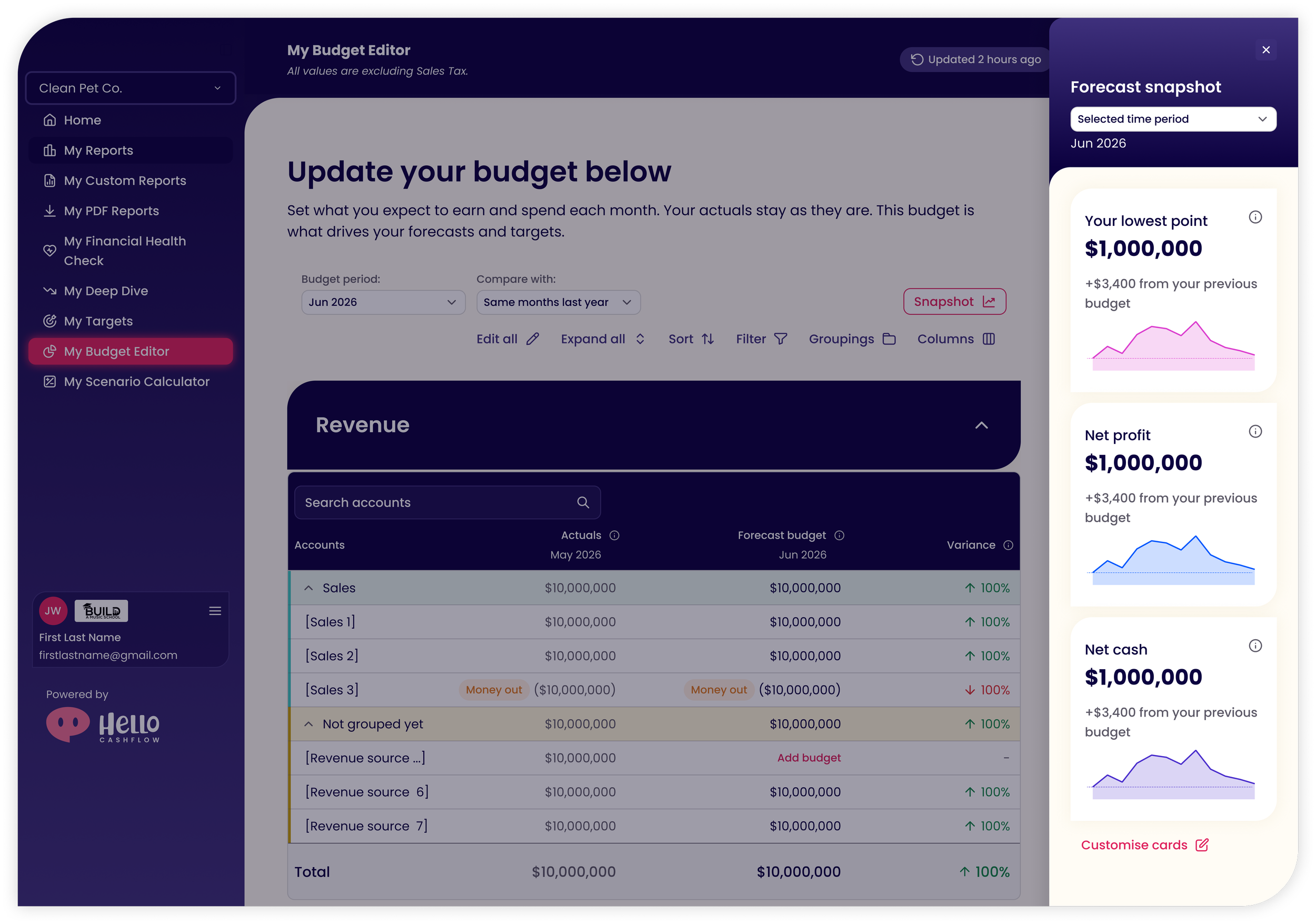
Legacy: No way to see how a budget change affected the bigger picture.
Redesign: The Snapshot panel shows how edits affect revenue, profit, net cash and more, and stays open while the user works.
Why: Users can make a change and immediately see whether it creates a problem further down the line. This is the core promise of Hello Cashflow: spotting cashflow problems before they happen.
Custom Date Ranges
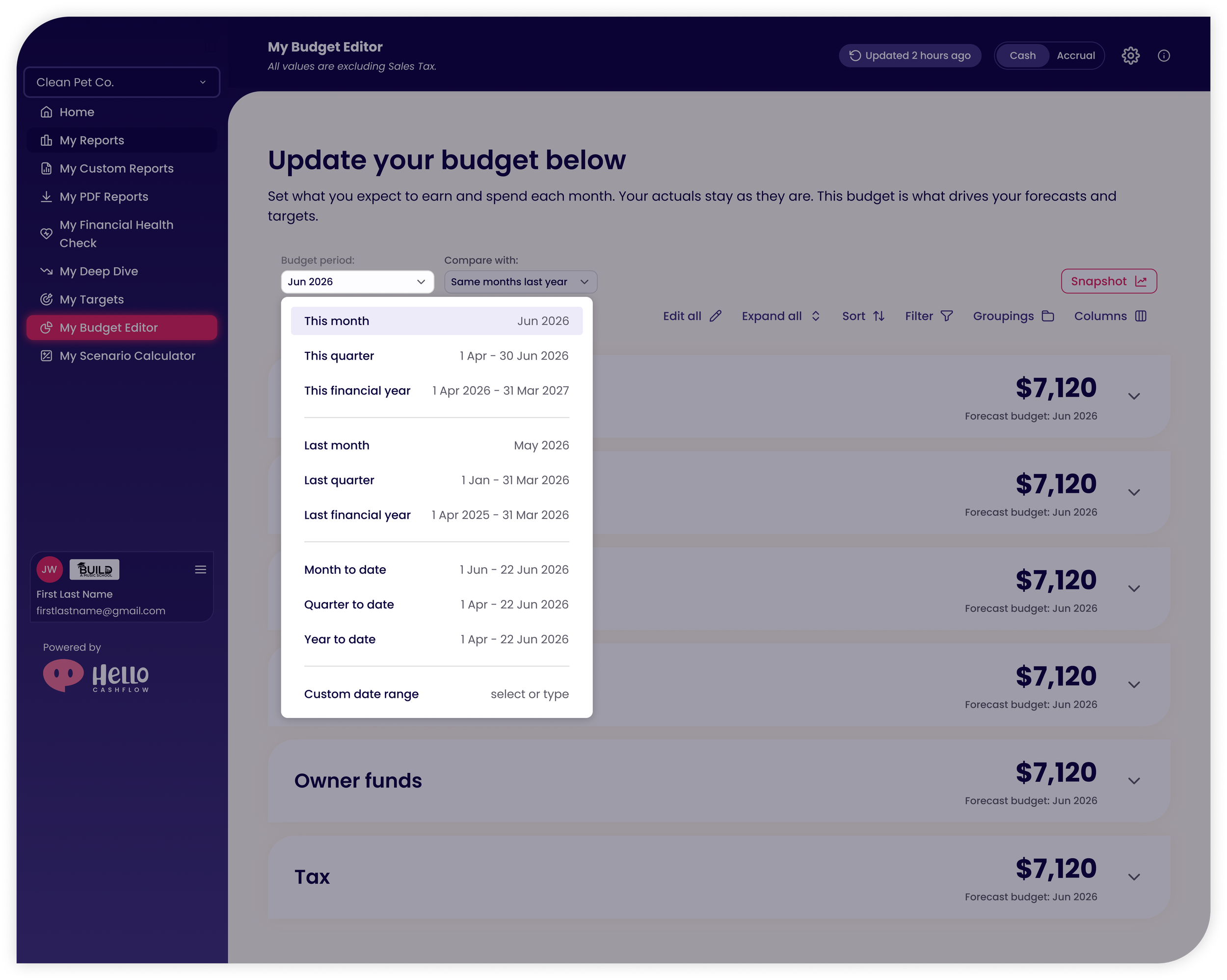
Redesign: Users can choose from preset periods (this month, this quarter, financial year and more) or set a custom range.
Why: Every business has different trends and seasons, so a fixed budget period doesn't work for everyone.
Looking Ahead
The redesigned budget editor was approved by our accountants for accuracy, our CPO for product direction, and our developers for feasibility. It's currently in testing with our software testers.
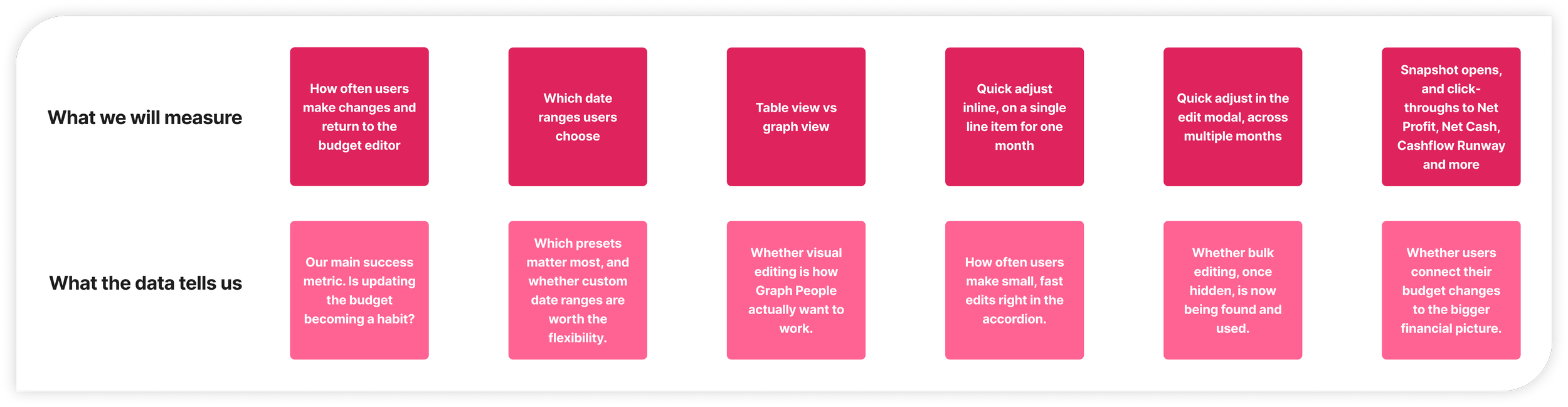
Each metric we'll track maps back to a design decision, so we can see which assumptions hold up once real users get their hands on it.